I had another post on the Galaxy Buds but that was written after only a week of use. After using it for quite a while on a daily basis, I have a lot to say about these buds. This review is going to be written by listing the pros and cons I felt while using the product. The Galaxy Buds are Samsung’s most successful truly wireless buds that resemble many of the features of the Apple Airpods, more specifically the Airpods Pro (which was released after the release of the Galaxy Buds.
Pros:
1. Portability
Due to the small size of the device, it fits in every pocket and bag. The purpose of truly wireless earbuds is so that there is less discomfort. This idea of less discomfort is demonstrated by how normally wires are always getting in the way but wireless earbuds strive to remove that annoyance. Luckily, they also made the cases of the buds portable and small so that I can be easily carried around. Otherwise, it would’ve created a bigger burden.
2. Design
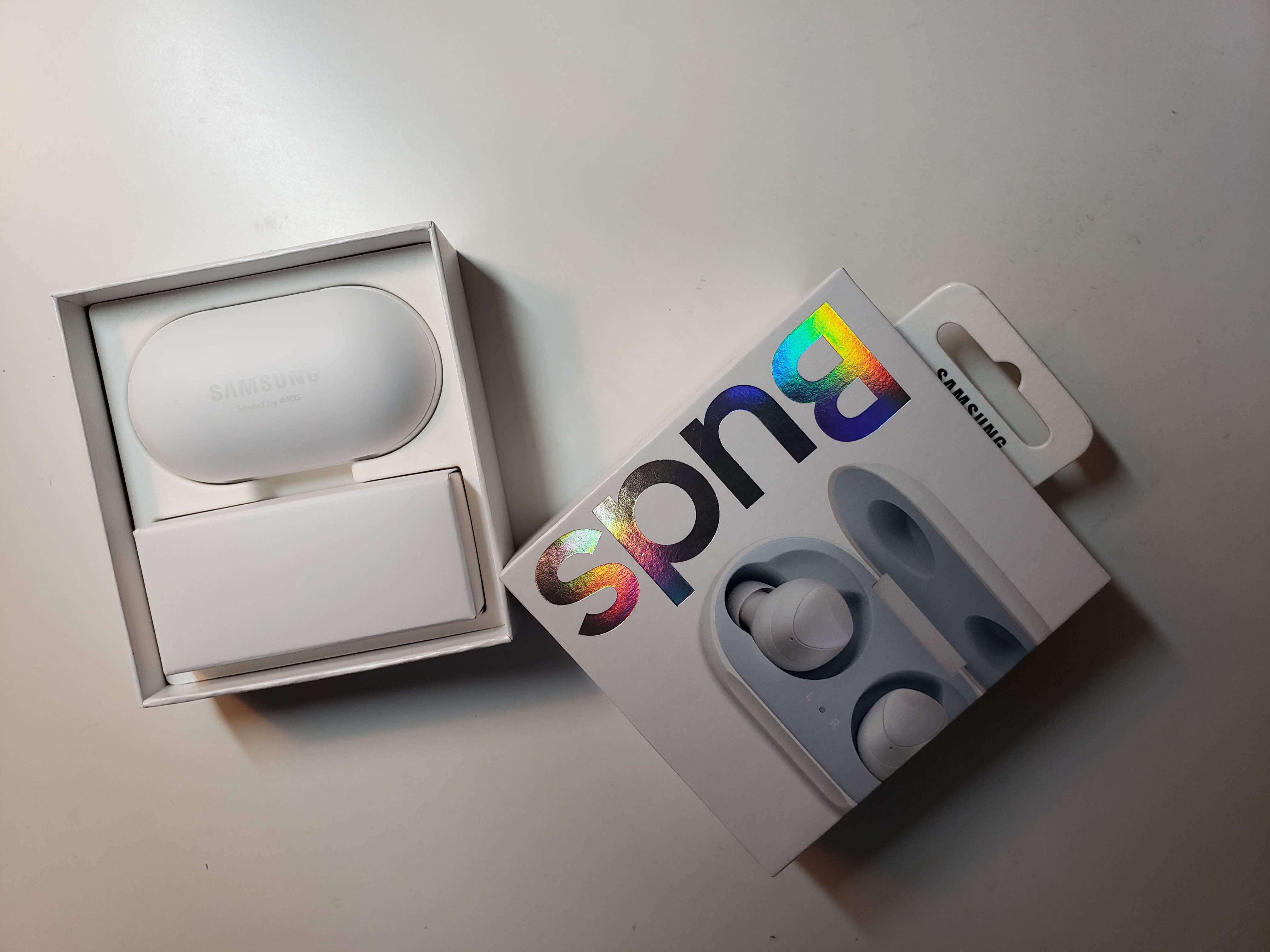
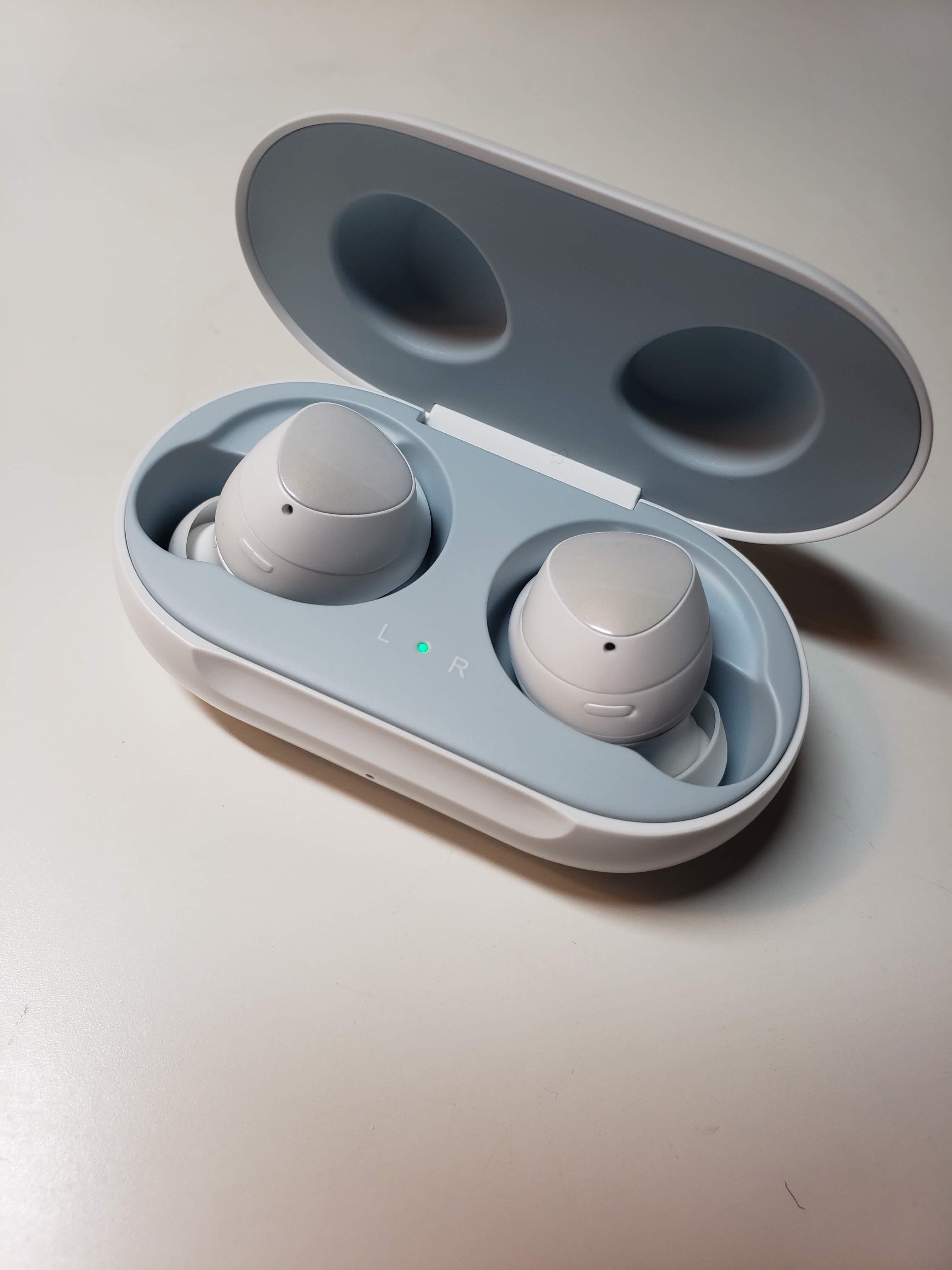
In my original impressions post, I mentioned how pretty the buds looked. It has an iridescent, pearly color that is hard to describe (the color that I purchased is the white). The best way is to actually see the product in real life. My thoughts about the design of the product still apply to today because I still love the design of the buds. Not only do the Galaxy Buds themselves look pretty, but the case is absolutely gorgeous too. On the inside, there is a very light pastel blue that looks stunning with the buds.
3. Sound Quality
The Galaxy Buds is an in-ear design where the buds completely secludes the outside noise. Therefore, it is much easier to focus on the music without any distractions. In addition, the base sound and the song itself sounds amazing through these buds so I constantly find myself wanting to use them to listen to my music even when I am alone at home.
4. Seamless Connection to Phone
These Galaxy Buds are so easy to use since I do not have to connect it to Bluetooth every time I use it. As soon as I open the case, the buds are automatically connected to the phone, making the process of using it much more simple and efficient. In addition, there are so many different settings I can choose from the Wearable app on my phone allowing me to change it according to my needs. I found that incredibly helpful and nice.
Cons:
1. Battery Life
I found the battery life on the buds to be below average. I have to charge it at least once every two days because the battery life on the buds is too short. It’s not something that is serious enough to tell people to not purchase the buds, but it would’ve been much better if the battery lasted longer.
2. Sound Block
Earlier, I put the sound quality and the Galaxy Bud’s ability to block out sound as a pro. However, there were cons that followed. Whereas I got a good sound of the music whenever I wanted to listen to music in a loud area, when I was at school listening to music, there is absolutely no way of hearing what the others are saying while listening to music. There are so many times when I unintentionally ignore people because I do not know that they are calling for me. Even when I am walking on the street listening to music, I have to turn it off whenever I am crossing the street so that I can hear the cars. I understand that the purpose of Ambient mode is for this reason. However, the Ambient mode makes me not want to listen to music because not only can I not hear people talking very well, I also can’t hear the music with a good sound quality, making me just want to stop listening.
3. Stuffy
The Galaxy buds are very stuffy after listening to music for a long time. Since it completely blocks my ear, I find it uncomfortable for around 1 hour of use. Therefore, whenever I listen to music at the gym with the buds, I always need to take a moment to keep it off in the middle because otherwise it feels very stuffy and uncomfortable. Yes, this does allow the buds to not fall out while doing intense workouts, but it is still uncomfortable.
4. Touch Feedback
There are different settings that come with tapping on the Galaxy Buds. This is incredibly useful whenever I want to pause the music or raise the volume. However, the tactic sensitivity is too much. Just a small swipe causes the buds to pause the music. There were so many times when I was just moving my hair and accidentally tapped on the buds a little bit; ..this paused the music.
Conclusion
There are many pros and cons, but as the Galaxy Buds was my first transition over to truly wireless earbuds, it was a overall pleasant experience. Now, if I use wired earbuds, I find the wires incredibly annoying. For example, it keeps on getting tangled and I cannot listen to music a little bit away from my phone with wires. If I was to rate these buds, I would give it a 4/5 because of the cons I listed, but generally the buds did improve my lifestyle.
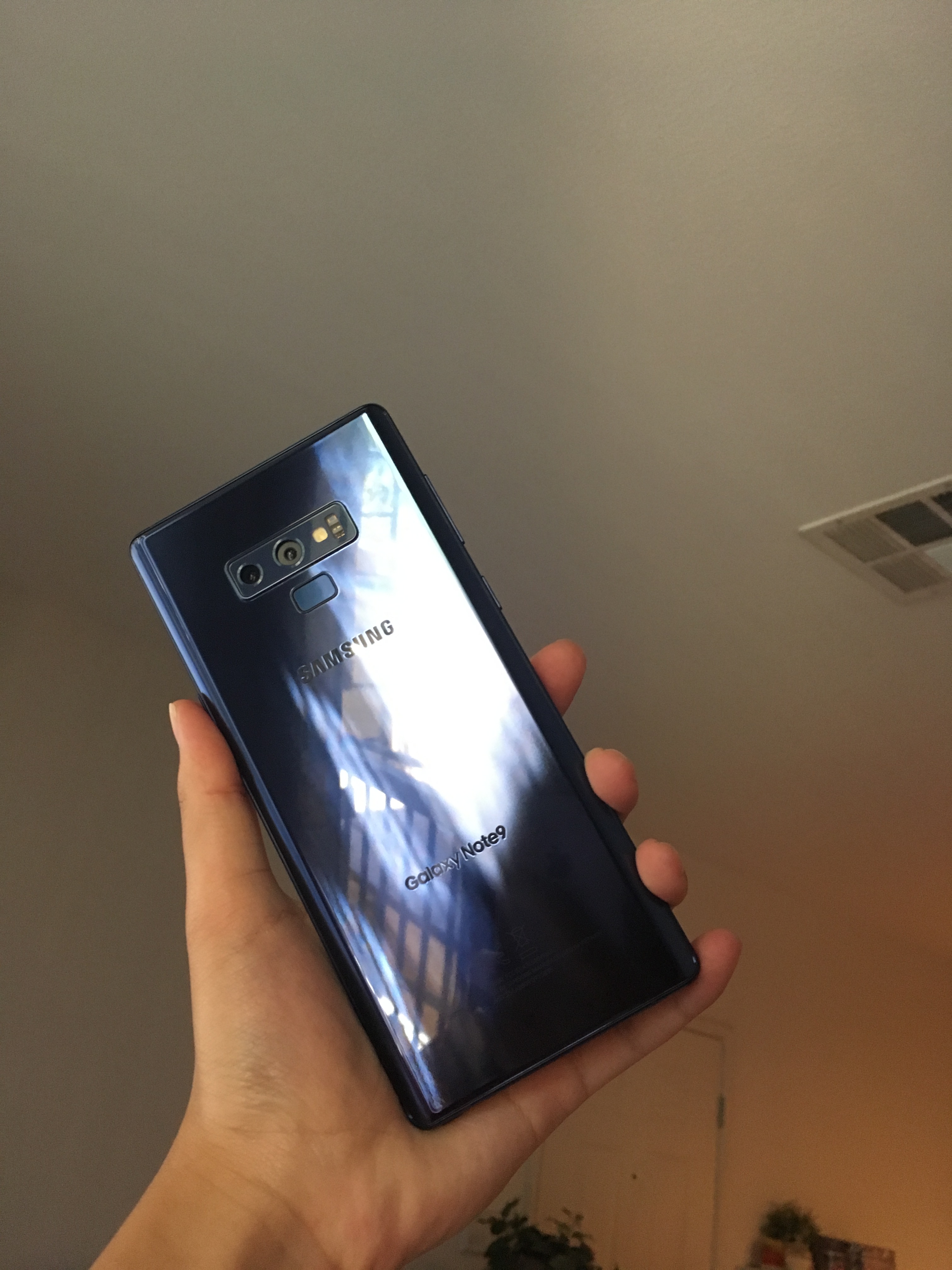
Just around 4 months ago, I posted the 8 month review of the Note 9. Since there aren’t many changes that occurred since then, this review is most likely going to be short and concise. Now that the Note 10 pre-order period has begun, the prices for the Note 9 will probably drop tremendously. Considering this situation, is the Note 9 still worth it after the release of the new Samsung flagship?
What about the Note 10?
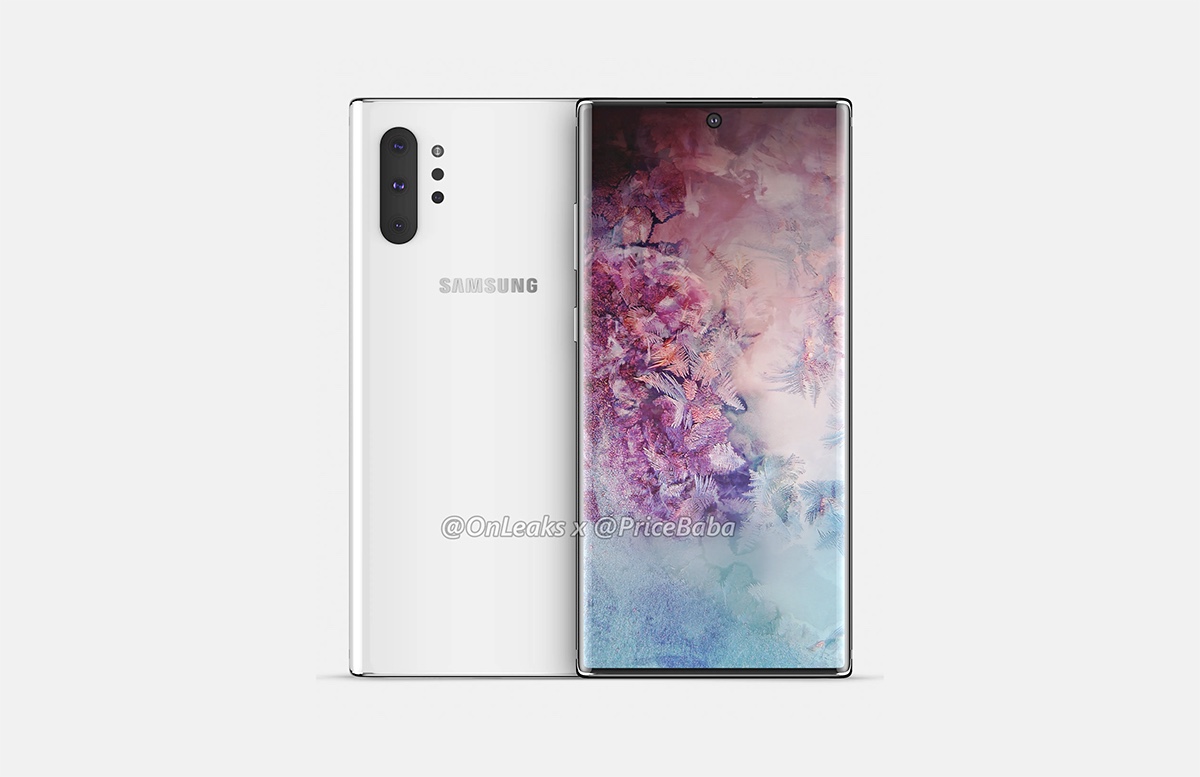
Although this post is a review of the Note 9, it is impossible to ignore the new flagship. As a Note 9 user, I understood that it was a very incremental update to the Note 8. Nearly every review online mentioned how there weren’t many changes that were made from the Note 8 to the Note 9. Regardless of only having a few changes, the overall phone was still very powerful and had good specs, which is what attracted me to it. However, throughout this year, there were many phones that released that had extremely small bezel, higher refresh rate, and better phone quality. After I learned that the Note 10 released with extremely small bezels and new added features, I initially wanted it. The more reviews I watch, however, I realize that many of the added features lean more towards “wants” than “needs”. By this, I mean that the added features consist of the new spen, smaller bezels, and more cameras. Yes, the phone will also be faster, but since I am already satisfied with the speed of my phone, that wasn’t a big attracting feature. However, I came to realize that the “magic wand” feature of the new spen won’t be widely used by me, already considering the fact that I use my smart spen on the Note 9 only for taking notes. In addition, I thought about whether I really needed a smaller bezel. I realized that smaller bezels do make the phone look better, but I would need to sacrifice part of my screen with a small hole for the camera. In addition, the Note 10, not the plus, has a 1080 panel and a smaller battery, which would make it a downgrade from the Note 9. After I realized all of the downsides to the new Note, I came to realize that the Note 9 was definitely worth it in 2019. My desires for the new Note wasn’t because of its functionality but all of the useless gimmicks that were placed into the phone, which made it more high tech but not really beneficial.
One thing I forgot to mention was the headphone jack. Although I purchased the Samsung Galaxy Buds around 2 months ago (you can see a review on it in my site), before that, I heavily used my normal wired earbuds. In this case, having a headphone jack would be extremely necessary and beneficial in my day-to-day life. Especially since I don’t have a wireless charger, if I hadn’t purchased my buds, I wouldn’t be able to charge my phone and listen to music at the same time. Yes, I don’t particularly need the headphone jack anymore since I have my Galaxy Buds, but it is a shame that the Note 10 doesn’t include this feature anymore.
Aging of the Note 9
Everyone who owns a Samsung device hears this at least once: Samsung phones lag after a short period of time; they suck and cannot last for a few years. The phone that completely broke the stereotype, I believe, is the Note 9. It hasn’t been a few months since I purchased my phone; in fact, it’s been an entire year. However, I experience no slowdown whatsoever and rarely any stutters. In fact, my friends who own an iPhone, which is known to be a very capable long-lasting device, complain a lot about the constant lags on their phone. If someone handed my phone to me after a year of use, I wouldn’t even be able to notice because it performs as it did on day 1.
All of the downsides that I mentioned in my 8-month review still remain true, but there were no new downsides that got added in the additional 4 months of using this phone.
Previously, one of my favorite features of the Note 9 was the Always on Display since it prevented me from taking that extra step to turn the phone on to check the time, but there was a change that I made that made it even more useful. There are many different choices for the way to design the Always On Display and I set it to be a calendar. This proved to be incredibly useful since I can set up schedules more easily now that there is a calendar even without me turning my phone on.
The Note 9 came with so many features packed into the phone that a whole lot of people could customize it in whatever way they want and use their phone like a tool to be a part of their daily lives. I kept my phone relatively minimalistic, but this means that people with many different types of preferences can use this phone without a problem (those who want to customize their phones heavily can also accomplish that with the Note 9).
The notch on phones became a huge controversy when the iPhone X released in 2017. There were so many different reactions to the huge design change that Apple made on their phone. Some were extremely tired of the previous design that stayed relatively similar for 4 years. On the other hand, there were people who liked the compact design of iPhone 6, 6s, 7, and 8 and were disgusted by the new design of the iPhone X. Although it did feature a larger screen with a smaller body, there was a big notch that cut through the screen. As a result of this, there will always be this black, rectangular box that covers part of the screen and ruins the full experience.
Yes, the notch does ruin the full experience, especially while watching videos, but there were so many phones that came out with a notch after the release of the iPhone X. The main reason, I believe, for this is that a unofficial competition started. By this, I mean that nowadays, a higher-quality phone means having as small of a bezel as the company can make. Since the technology in most companies limit them into using a bezel, there are so many phones that have a bezel now.
There are a few people that would rather have a greater screen-to-body ratio with a notch over a thick bezel without a notch. This leaves companies with three choices: a nearly-bezel less phone with a notch, thick bezels without a notch, new technology that has nearly no bezels and no notch but can be not fully developed.
1. Notch with nearly no bezels
A few phones that fit into this category would be the iPhone X (Xs, Xr as well), Galaxy s10 (s10e), and the LG G7 (and the phones that came after). Of course, there are a lot more phones as well that have some sort of notch. Some pros of this design is that in 2019, there are a lot of apps that take the notch into consideration and are redesigned to work with the notch in between. In addition, the rest of the phone will be nearly bezel-less, allowing more screen with less weight and size. One major con to the notch is how it disrupts the full viewing experience. First of all, as for the iPhone X, the screen size is 5.8 inches. The size is determined by measuring diagonally from one corner to the other. However, what we have to put into consideration is that the notch takes up around 1/2 of the top horizontal area, which means that there is nearly a complete bezel at the top. As a result of this, the actual screen size should be smaller than 5.8 inches. In addition, when we watch content on a phone with a notch, there will be problems since if we want to get immersed in the video by watching it with full screen, the notch will be in the way. However, if we choose to not cut any parts of the video up, the video will be much smaller, hence there will be no reason for a bigger screen.
2. No notch with thick bezels
By thick bezels, I don’t necessarily mean iPhone 6 thick because there are other phones with small bezels that do not come with a notch. For example, the Samsung Galaxy Note 9 that I own has relatively small bezels without a notch. However, when compared to the s10+, the bezels seem much thicker and the phone feels a lot bigger although the two phones have the same screen size. I personally am fine with my Note 9 since the screen-to-body ratio is still really high and there is no notch to get in the way of the full experience. However, since nowadays, bezels are getting much, much smaller, it’s harder to say that the Note 9 is nearly bezel-less. The pro of having a Note 9 sized bezel is that it’s like a compromise between having thick bezels and nearly no bezels and so there is not much problem with it. However, if the bezels get as thick as previous iPhones and Galaxy phones, some cons follow. For example, the phone may get pointlessly heavy, not because of the screen size but because of the huge bezels. Also, there will be a less satisfying viewing experience since there are such big blocks on the side. Although having bezels aren’t really a problem, it just feels outdated and unimpressive.
3. New technology with nearly no bezels and no notch
This is the most risky choice, at least as of 2019. An example of a phone that meets this criteria is the Samsung Galaxy A80. This phone has almost only screen in the front and includes no notch watchsoever. There is one camera that is placed at the back, but when you want to take a selfie, the camera at the back would twist over to the front. This type of technology is amazing since it basically solves all of the previous problems. The problem is, however, that new problems arise. There can be so many problems that occur during the process of flipping the camera over to the front since it’s not a technology that has been fully developed.
Although I changed my phone multiple times, I’ve owned a smartphone since 8th grade (so for around 3-4 years). Honestly, smartphones are mostly used as time killers, but there were a few apps that I used that I truly enjoyed using. They are not very relevant to education and being productive, but these apps are ones I really wanted to recommend to others.
1. Questions Diary
The reason I placed this app first is because it is definitely not very widely-known. I just recently discovered this app and I fell in love. What this app is that it asks you a question daily for 365 days. You type your answer to each respective question down every day. Then, a year later, it will ask you the same question again and you’ll be able to see how much you’ve changed over the year (for the better or for worse). The questions are based on your views and thoughts on certain scenarios. I think this is a great app to express your true feelings – ones that are hidden from other people – because letting it all out actually helps with relieving stress and sadness.
2. Google Opinion Rewards
This app isn’t related to psychology, but it’s related to money. Majority of the apps in the play store and the app store is free. However, the better-quality, more “pro”-like apps are not free and require money to be downloaded. However, I personally don’t have a card to input into my phone so I am unable to purchase anything that requires money (including movies, songs, and apps that cost money). As for this app, answering some questions in surveys that Google provides gives you money that is added to your Google Play account. So far, I was able to earn up to around $1 which opens up to a lot of apps that I could purchase now. Since the surveys are quick and easy, I think this is a great app to have.
3. VSCO
This is a very popular photo editing app that many, many people use. The reason I’m recommending this is because it is capable of changing the photos to match any mood and theme. For example, if you want your photo to be more calm and moody (?), then you can use the editing tools to adjust the brightness and contrast, etc., to make your photo that way. This is the only photo editing app that I use since it fits so perfectly with what I desire in a editing app. I know this app is popular, but if you love editing photos and don’t have this app, it’s a must-get.
4. Google Photos
This is another super popular app that a lot of people use as their photo backup. The reason why I use this, however, is different from many other’s usage of this app. If you own all apple devices, such as the iPhone, iPad, MacBook, Apple Watch, AirPods, etc., there is airdrop which is extremely convenient when sharing documents between each device. However, if you’re like me and you own an iPad (Apple device) and a Note 9 (Samsung device), it is extremely difficult to share files such as photos and videos. I found that Google Photos is the most convenient to use since you can back up all of the photos and videos to your account and then download those into your other device. For example, if I took photos on my phone and I want them on my iPad, I back up all of my photos from my phone into my Google account using Google photos. Then, I go on my iPad and download those backed-up photos from the app to my Gallery. This is still a very gruesome process, but this is the most convenient way I know. If you by any chance know a more effective way, please teach me!
As a student who was the one to preorder the Note 9 last year and got it on the actual release day, I am aware that the next Note will come out in around two to three months. Due to this, majority of the device will have been manufactured and probably they are just testing for the remainder of the time. As a result of this, some of the changes that I want made may not be present in the Note 10, but the following are changes that I want made in the future models. This will include my experience with the Note 9 and what should be improved in order to benefit the user experience of the people who purchase the next model.
Camera
I’ll start off by saying that the camera is above average. So many of my friends want to take photos with my phone due to its outstanding quality both during the daytime and nighttime. However, there were a few things that I wish would change in the camera category; if these changes are made, many more people will be willing to switch over to Samsung.
1. Shutter Speed
Due to not many professional photos being taken on smartphones, the cameras that come with these phones are normally used for point-and-shoot scenarios where you just click the shutter and move on without putting in so much time and effort into making the photo perfect. I noticed, however, that there is a slight gap between the time when I press on the shutter button and when the photo is actually taken. As a result of this, I end up moving before the photo is actually taken, meaning that the photo ends up being shaken. This problem is the worst in low-light situations so I need to keep my phone still for at least 3 seconds in order for the photo to come out decently. Due to this, I’m hoping that the future Samsung Note models will have this problem fixed and decrease the gap that exists with the shutter so that the point-and-shoot photos come out well.
2. Color
Although the quality of the camera itself is good, there is a problem that exists within not only the newer phones, but most of the previous Samsung phones as well. The problem is that the photos tend to be very unrealistic and very different from the actual scene. The photos turn out to be more yellow-toned and brighter than what we see with our eyes. I do not want to make the direct comparison, but iPhone tend to have very realistic colors, which is one of the reasons why many people opt for iPhones. Due to this, I hope that the future models will have better camera optimization so that the photos come out more realistic.
3. Live Focus
The Live Focus was one of the main reasons I wanted to Note 9 and is also one of the greatest disappointments of the phone. The same problem is present in the Note 8, s9+, and the Note 9. First of all, in situations where the lighting isn’t very good, the Live Focus mode has a terrible HDR, and so turns the entire background white. This is when I just choose to turn the HDR off and use my normal Auto mode. Even when the lighting is good, sometimes, the edge detection is terrible and may sometimes even tell you that Live Focus mode isn’t available. There are a few moments when the Live Focus mode works, which makes the photo turn out amazing, but since there were so many disappointments that came with using the Live Focus, it is something that I want to see improved. The main improvements should consist of better edge detection and HDR.
4. Social Media
Social media may seem like it’s out of the blue, but I noticed that the quality is significantly worse when using social media on Samsung devices (almost all android devices in fact) than an iPhone. Using Instagram as an example, whenever I post a story using my Note 9, all the details are gone and it’s just not very pleasing to see. Also, when I send photos through the messaging app or through Instagram DM, the details are all gone and the picture gets sent looking very grainy, which is very uncomfortable when living in a world filled with interaction. I’m not exactly sure what the problem is, but there must be a way for these photos to be sent with a better quality.
5. Skin blur
The skin blur problem actually shocked me although I heard many problems about it. The main reason is because when I’m taking the picture, the photos look very detailed and nothing seems to be blurred. However, when I click on the result, I see that the photo turned out to be much more smooth compared to when I was clicking the shutter. I feel like Samsung planned to optimize their camera that way, but honestly, it brings more discomfort to the users and if anyone does want their face to be smooth, there are apps out their that they can use so don’t bring that feature to everyone.
Spen
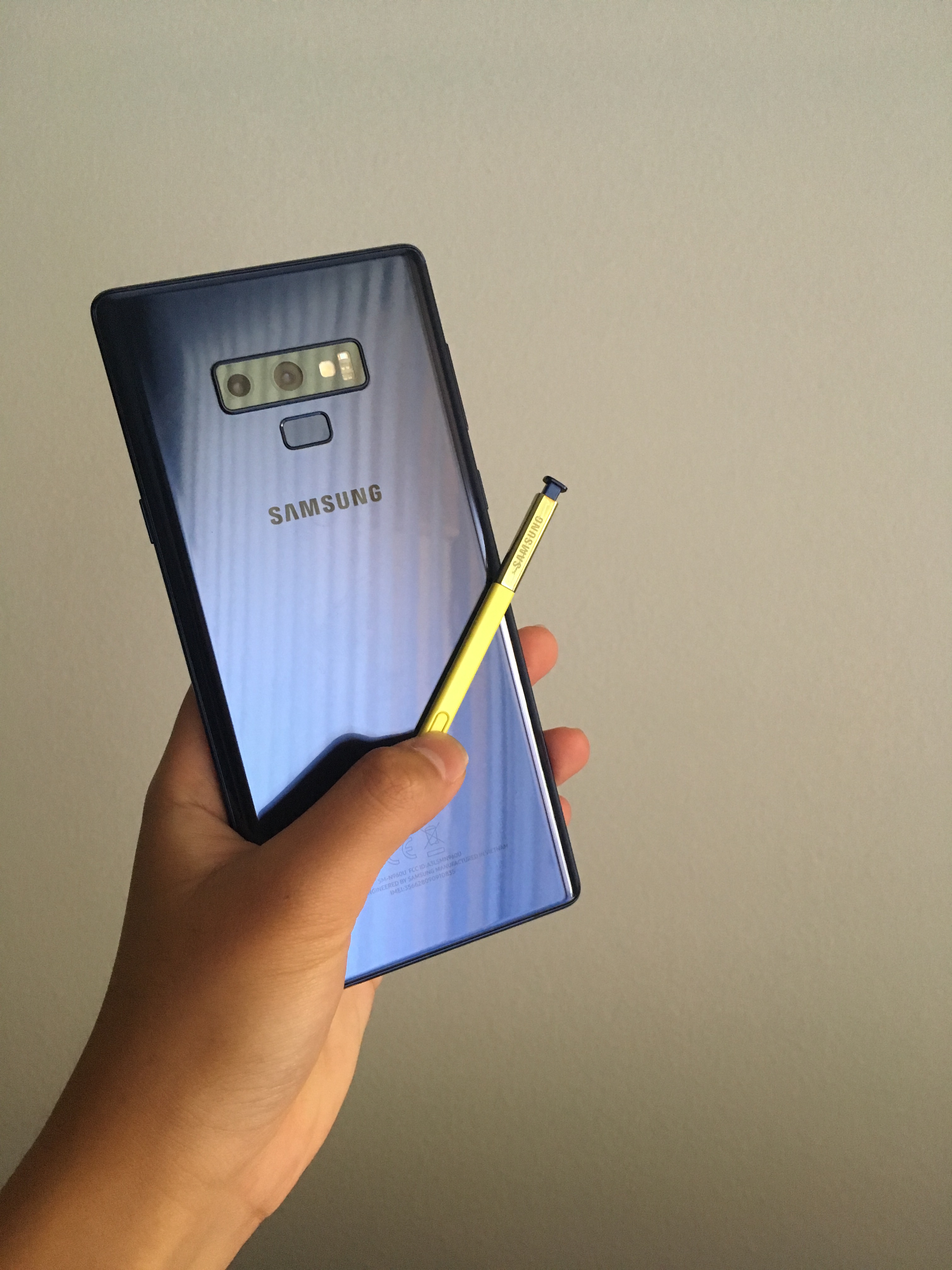
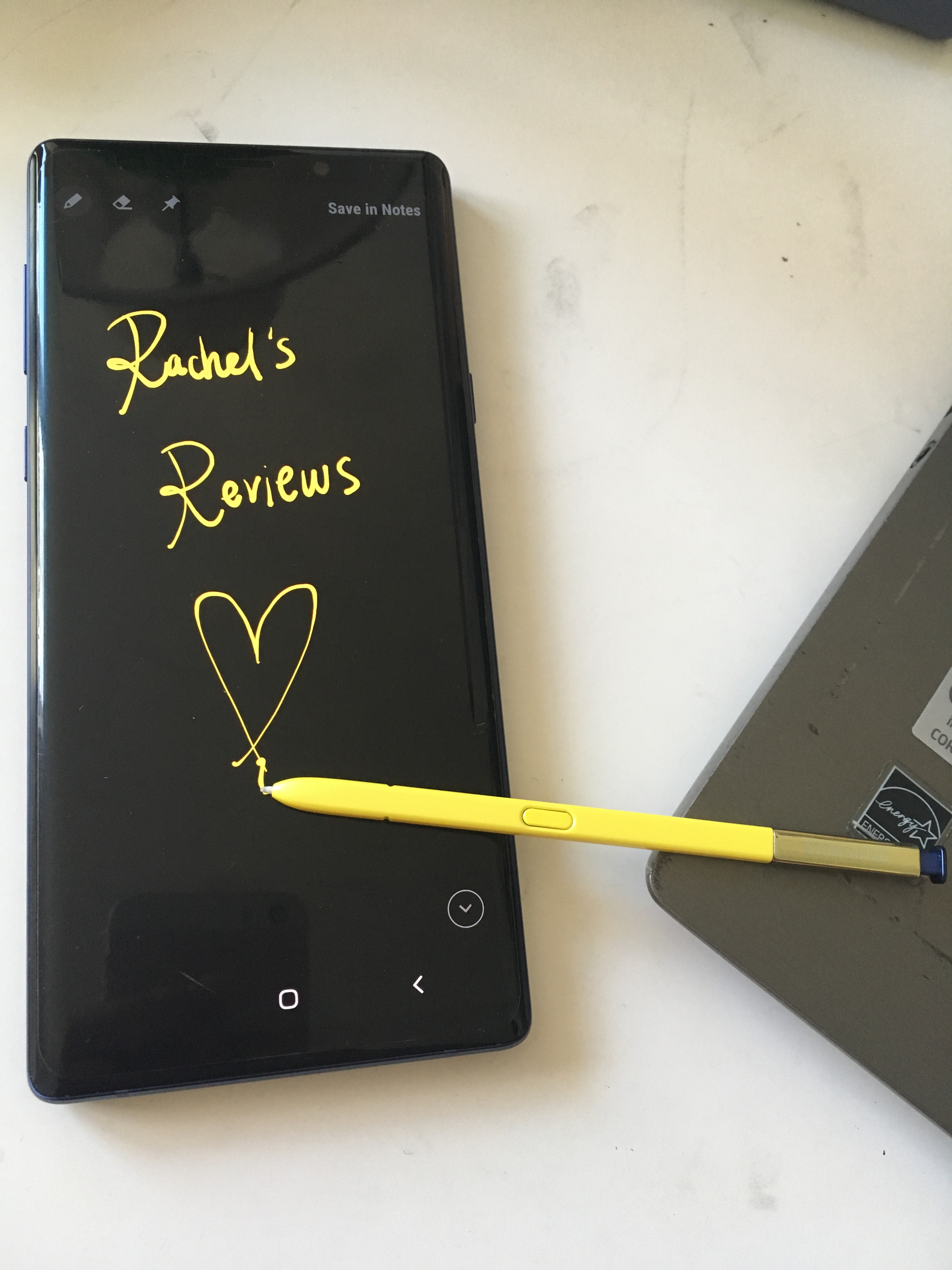
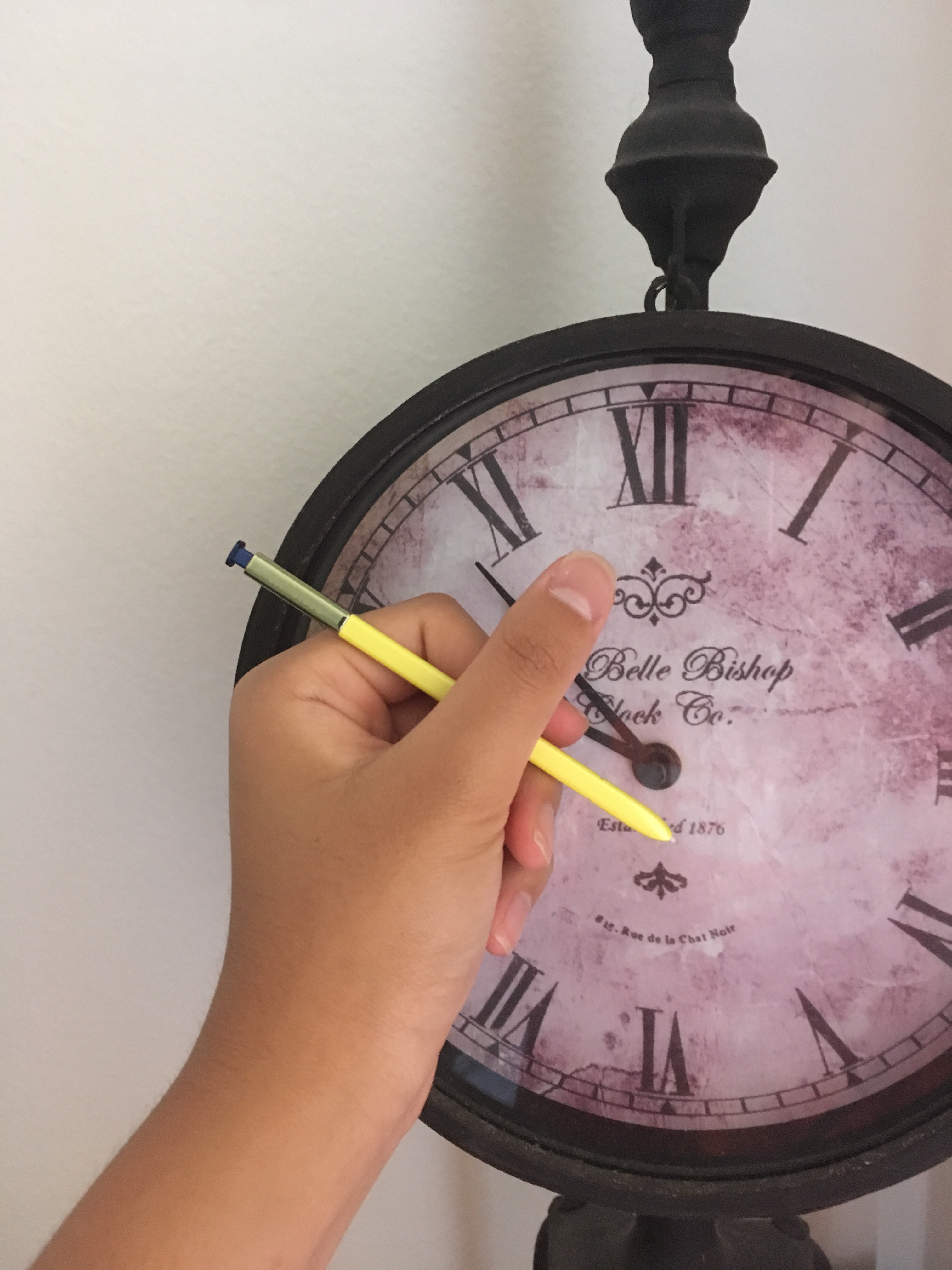
The Spen is a very, very, very useful feature for a student like me. After I purchased the Note 9, I used the Spen so much that now I can’t imagine having a phone without it. It can be used to take notes, draw in my free time, and save paper. Some people may never use it, but it was such an important tool for me. The changes that I want made with the Spen is not the functionality or the usability, but more towards its design and durability.
1. Durability
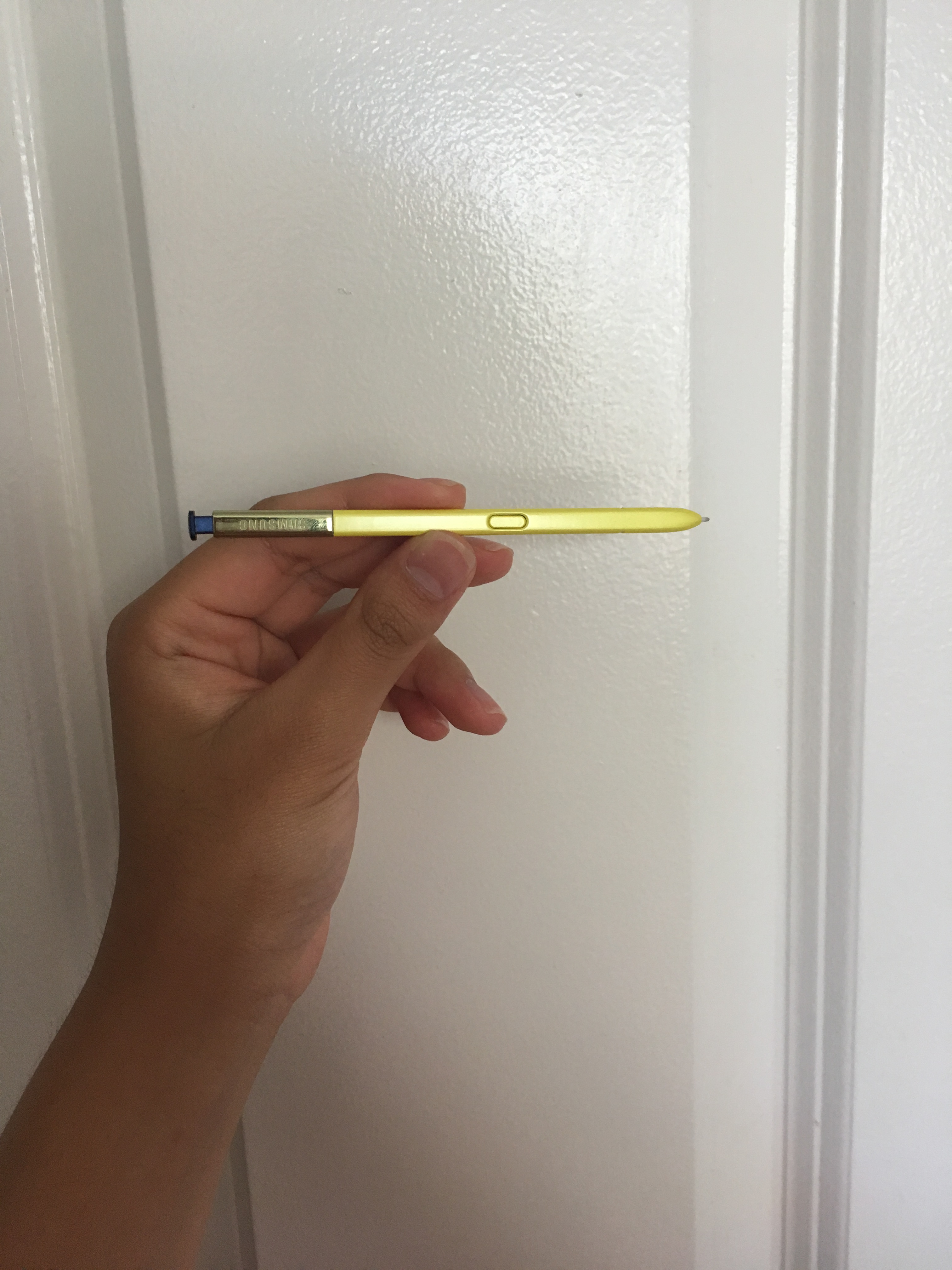
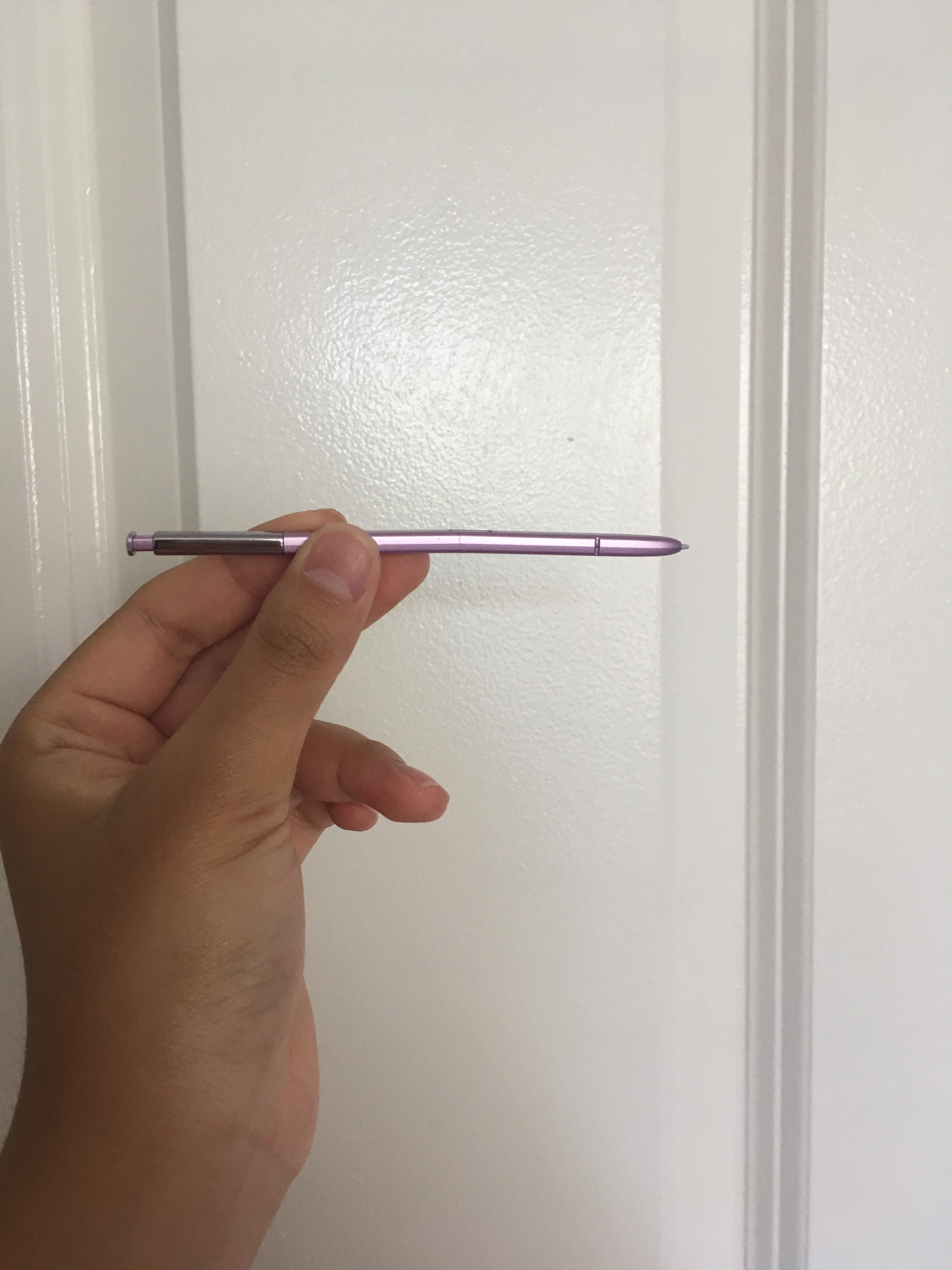
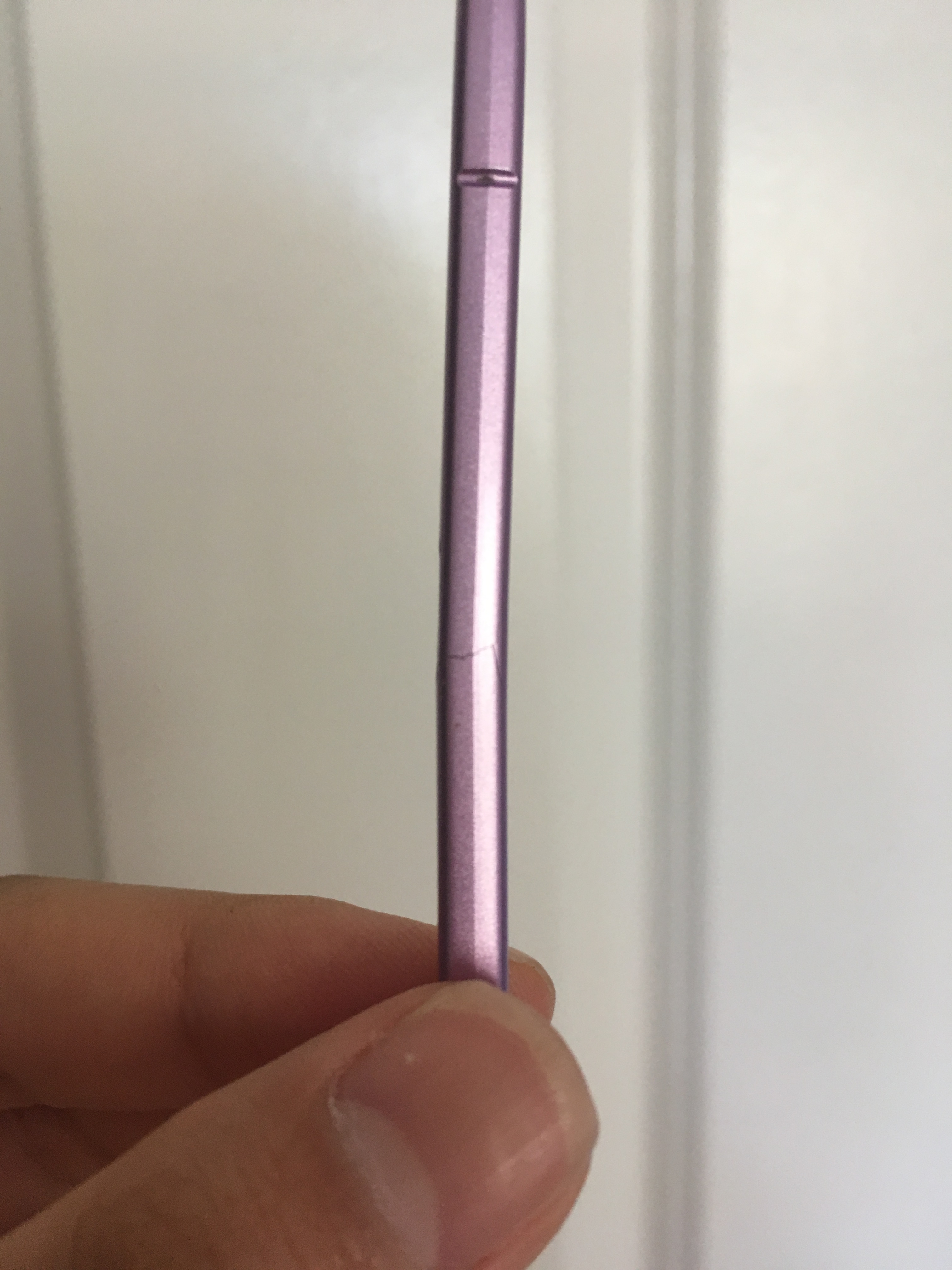
In order to effectively utilize the Spen into my daily lifestyle, I need to use it very often. This means that I’d need to take it out of my phone and then take notes on my phone or do whatever I want to do with it. However, taking it out often means that there is a greater chance of dropping or bending it. The Spen replacements are not cheap. This means that we need to try to keep the original one as nice as possible. However, the Spen is so weak that it is just so easy to snap it in half. Honestly, there is a such a big gap in price between the Galaxy S models and the Galaxy Note models. However, the only major difference between these two is the Spen. If the user chooses not to replace the Spen, they will just have wasted a couple hundred dollars. If they choose to replace it, another $50 will be needed to be spent, but even then, that replacement Spen may break again, so money will be spent repeatedly. Therefore, for the next model, I’m hoping that there will be an improvement in the durability of the Spen by changing the material being used to build it or use any other solution that could help with the durability.
2. Secureness
The major reason people break their Spen is because of how insecurely the Spen is placed in the phone. I have a case in my Note 9 and all of my family members do as well. However, every time one of us drops our phone, our phone is perfectly fine due to the case, but the Spen almost always falls out. I’m not sure why it constantly falls out, but it could do with the clicky button and just its inability to endure impact. Since the pen just falls out when my phone is dropped, it can end up bent or broken. Therefore, for the next model, I’m hoping that the Spen will be placed more securely into the phone. Other than that, the Spen is such an useful tool that improved my life as a whole.
Design
Photo from Mashables
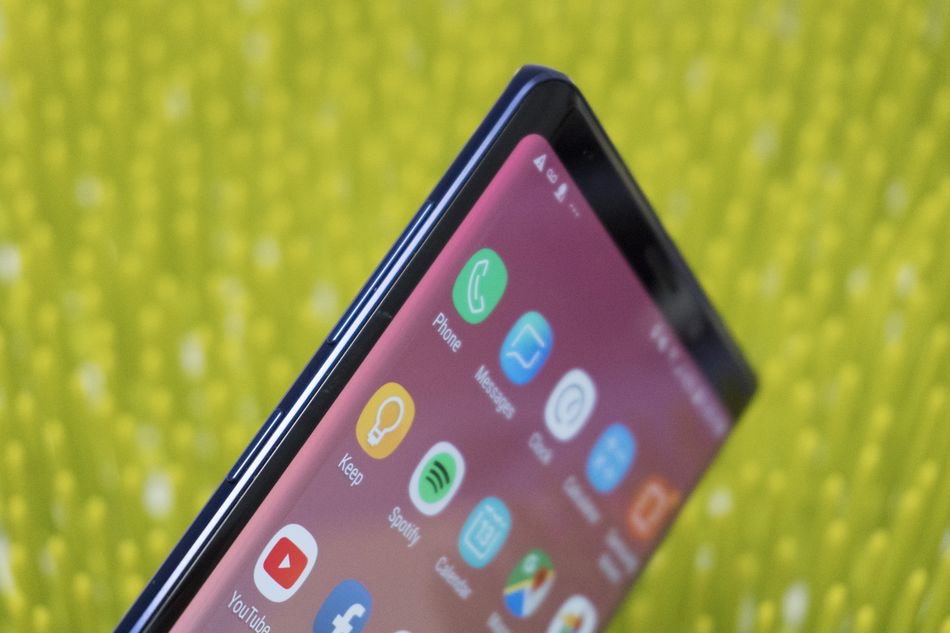
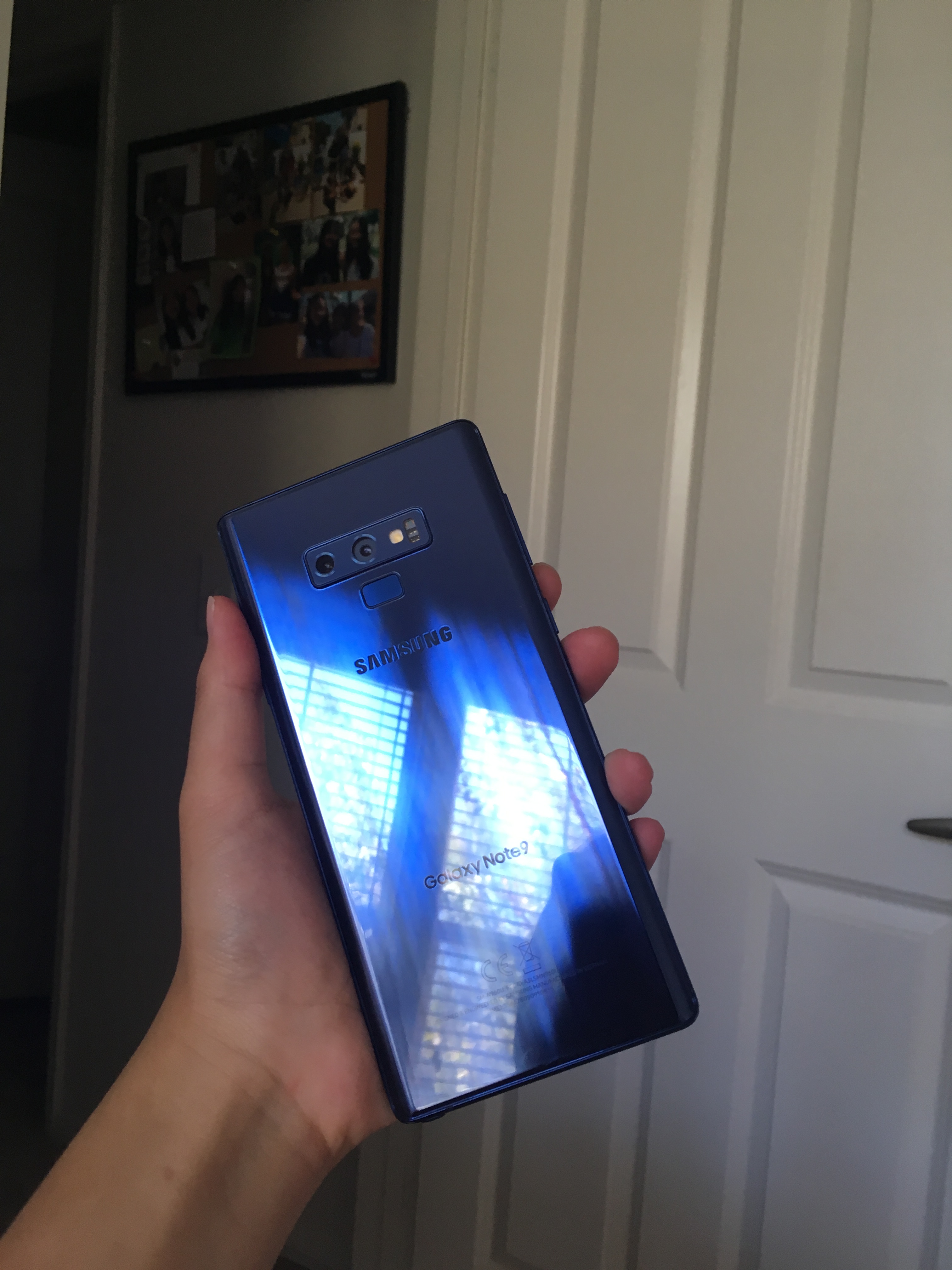
I honestly, really like the minimalistic design of the Note 9. There is no notch, hole, or anything that gets in the way in the screen and nothing gets cut off. Although it may seem outdated, I personally enjoyed it. However, I know that I must let go of having a clean display because future models are probably going to come with the Infinity O display (at least for a period of time until they figure out the best way to have a full-screen display). I do enjoy the Note 9’s design, but I also found that the s10’s design is very stunning so I’m sure that the complaints about the hole punch display will die down eventually. However, there were a few aspects of the design of the Note 9 that I found to be very uncomfortable that I hope would be changed in the next model.
1. Weight
The Note 9 is around 200 grams. Honestly, just carrying my phone for a short period of time is fine. However, if I need to use it for a long period of time, I start feeling pain in my wrist and my arm. The phone itself being 200 grams is not too bad. However, we have to remember that most of the people use cases on their phone; they normally use bulky, protective cases to protect their thousand dollar phone. With these cases, the weight of the phone becomes unbearable so I hope that Samsung can adjust the weight of the phone (although I know that it’s going to be made of all glass and the size is probably going to get bigger) so that there is less fatigue in the arms even with a case on.
2. Edge Display
Although the majority of the people have problems with the edge display, I actually was fond of it. Since I’m not an expert in terms of screen quality and so, I didn’t really notice many cons to having an edge display. In fact, when I was watching videos, I found the edge to let me be more immersed into the video and focus better. In addition, the edge display panel was very useful for me, especially for the quick call feature. However, the problem, at least for me, does not come with the phone itself; it comes with the accessories. Because of the phone’s structure and design, it was just so hard to find good accessories. Firstly, there is a huge restriction on the screen protector that I can use. I previously used many glass screen protectors with my older phones, but due to the curved display, majority of them did not stick properly with my Note 9 and so I had to settle for a liquid screen protector. However, the problem became that since my screen was less protected now, I needed to find a protective case. However, due to the edge display, so many cases come with very minimal lip for protection. I’m not exactly sure this problem is going to be solved, but unless there is a way to make better accessories for the newer phone with the curved edge, I’d say it’s a better idea to go for the flat display for a while.
3. Aspect Ratio
The aspect ratio of this phone makes the phone much easier to grip due to it having skinnier sides and a longer length. However, I found a few problems with this. First of all, when I want to watch my videos in full, parts of it get cut off. Another problem is that since this phone has a different aspect ratio as other phones, such as the iPhone, many America-based apps have the ratio aspect that matches the iPhone. As a result of this, whenever I’m using a social media app like Instagram and my friend with an iPhone sends me a photo, since the photo is sent from their aspect ratio, the photo comes to me by cutting the sides off. Because of this problem, I asked my friends multiple times to resend the photo for me but by backing the camera a little so that even if the sides are cropped I can still see all the necessary parts of the photo. I’m hoping that in the future Note model, although the aspect ratio may stay the same since the phone needs to get bigger, there is a better way found to interact with other non-Samsung models.
Final Words
I was fond of the Note line ever since the Note 2. There were many changes that were made since the original Note that allows the Note to be one of the most feature-packed phone present-day. There are many useful tools that come with the phone that drastically improves user experience. However, there are some downsides that may interfere with the usability of the phone. In this post, I discusses some of the problems that I noticed while using my Note 9 that I wish would be changed in future models. If these changes are made, I am sure that a wider spectrum of people would be willing to spend their hard-earned money on this phone.
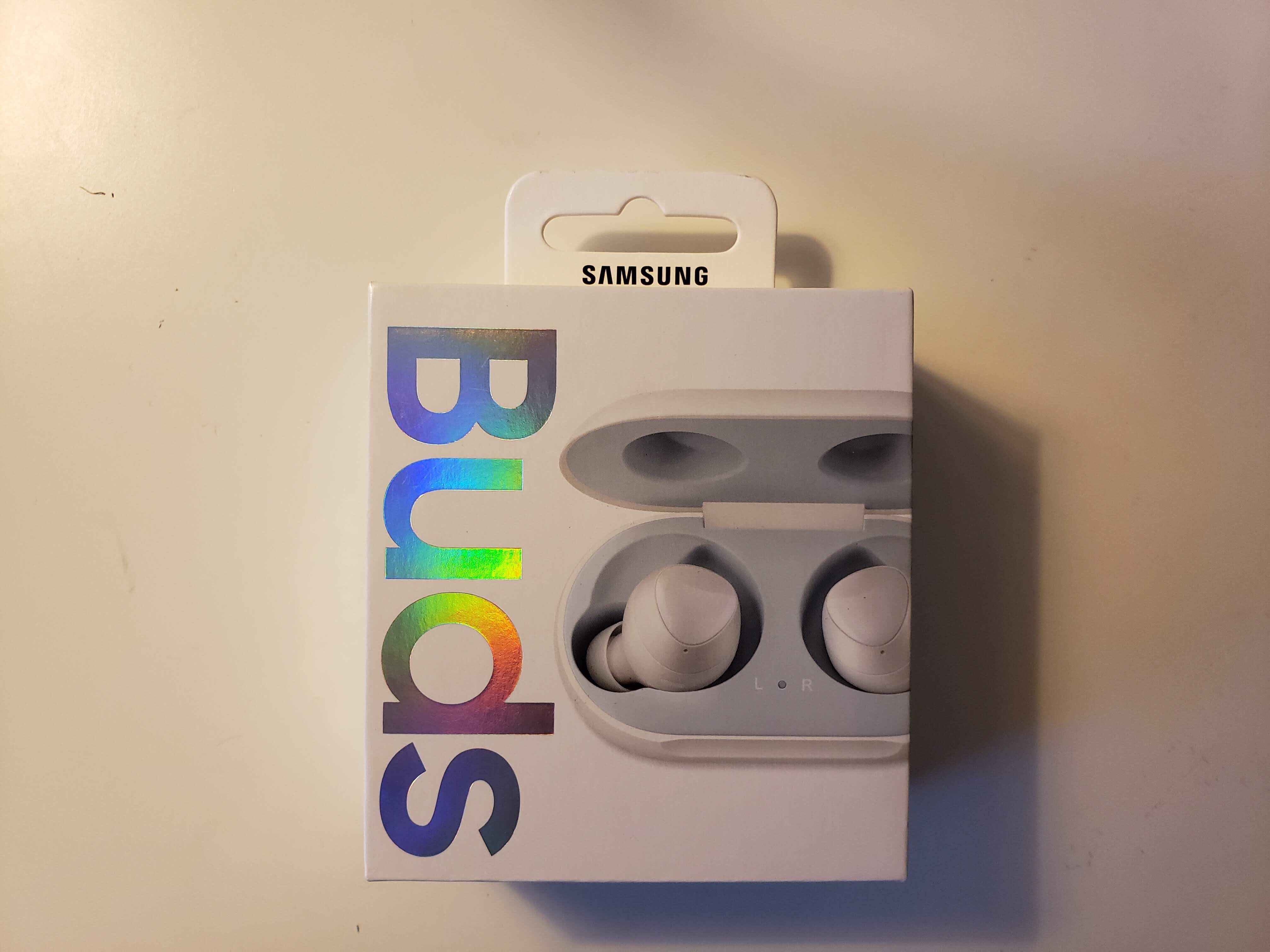
Recently, I purchased the White Samsung Galaxy Buds for $130. As a student, the price was slightly overwhelming, but after seeing a lot of reviews for this product, I knew I had to get one for myself. As I’m writing this impressions post, I used them for around 4 days so I have a general idea of what I like and what I think could be improved.
Pros:
1. Sound Quality
Although I’m not an expert in terms of sound and its quality, I personally really enjoy listening to music, especially bands. Bands consist of many instruments that come together with a vocal, which means that the sound needs to be full in order for it to be fully appreciated. I was able to find pleasure in listening to my music of choice with these galaxy buds. Just for everyday use, the sound has decent quality.
2. Design
Out of the three choices, I purchased my buds in white. I was attracted to all of the three colors (yellow, black, and white), but I ended up settling for white due to the pearly effect it had. I find that the white color isn’t too popping but also very pretty. Other than that, I also liked the shape of the buds because it fits very well in my ears and do not fall out. I go to the gym everyday and go on the treadmill very often. There was no circumstance where my buds fell off, which is a huge plus for me because I always watch something while I work out.
3. Compact Size
It’s hard to demonstrate it through words, but the size is very compact. It’s not too small and not too large. It fits very nicely in my pockets and is very portable. This was very beneficial because with normal wired headphones, there is not additional accessory to carry around whereas the buds come with a case that I need to carry around. Therefore, the smaller and more compact the case, the better.
4. Fit
This category goes hand-in-hand with the design, but as I mentioned earlier, it fits very nicely in my ears. The box comes with three different sized plugs and the outer rings. The different sizes of the rings help with it staying in my ear, although I opted for the original ring. Although I settled for the originals for both the plugs and the outer rings, it is a great option to have extras and have different choices for different types of ears.
5. Controls
This is a feature of the galaxy buds that I found very, very useful. At the gym with my phone settled down, when I need to control the volume, pressing on my right bud raises the volume and pressing on my left bud decreases the volume. Other than this, I found tapping on my buds to start and stop my music also useful because even when I’m not in a music app, if I just tap on one of my buds, music would start playing.
Cons:
1. Microphone
When I call people using the buds, the call quality is decent indoors. I am able to hear the others clearly and they are able to hear me clearly. However, when I step outside, my voice is not able to be heard at all by the person I’m calling to. As a result of this, if I want to call when I’m outdoors, I disconnect the bluetooth and just call directly from my phone, not using the buds. This proved to be very inconvenient since my buds, which are meant to be capable for calling, isn’t able to be used to call people.
2. Ambient Mode
The Ambient Mode feature of the buds were very, very, very helpful when I put these buds on outside. I can hear my surroundings very clearly which means that I will be safe from the cars when walking outside. However, I realized that in some scenarios, the ambient mode turns off. As a result of this, I keep thinking that there is just nothing going on around me since I can’t hear anything, where in reality, it’s that the ambient mode turned off. Because of this, there were scenarios when I wasn’t able to notice cars and people.
3. Battery
The battery was somewhat disappointing for me, especially the battery case. It only provides 13 hours and so I have do charge it every two days. On the other hand, airpods provide a much greater battery capacity, which I believe will be more useful to people that love to listen to music. In addition, I wish there was a way to know the exact battery percentage of the battery case because the only way to estimate the battery is by seeing the LED light on the case, but it’s not very precise so I don’t exactly know when it needs to be charged again.
4. Ear Fatigue
When I go to the gym and use these buds to listen to music or watch the video, I keep them on for 2 hours straight without taking them off. I found that after putting it on for a while, I feel pain in my ears because of its tight fit. Although this fit is very beneficial for keeping surrounding sound out of my ears, it brings discomfort after a long period of use.
5. Distance
I was disappointed in the amount of distance I was able to stand away from my phone to still listen to the music. I was only a little bit far from my phone when I heard a lot of static noise. I was honestly expecting the connection to be a bit better with my phone. However, the static noise doesn’t only come when I’m far away. Once in a while, even when I’m near my phone, the buds create a static noise for no reason. Although that’s not a reason why these shouldn’t be purchased, I believe this problem should be fixed.
Conclusion:
The Samsung Galaxy Buds is my first truly wireless earbuds and I’m glad I purchased it. Finally, when I’m at the gym, I don’t have wires getting in my way and due to the auto connecting method these buds have, it’s so convenient to use. Although there were a few negative aspects of these buds that I noticed, these are very well incorporated into my daily life that it makes up for all of the cons. Honestly, $130 isn’t a small amount of money, but I’d say that it was well spent on this product.
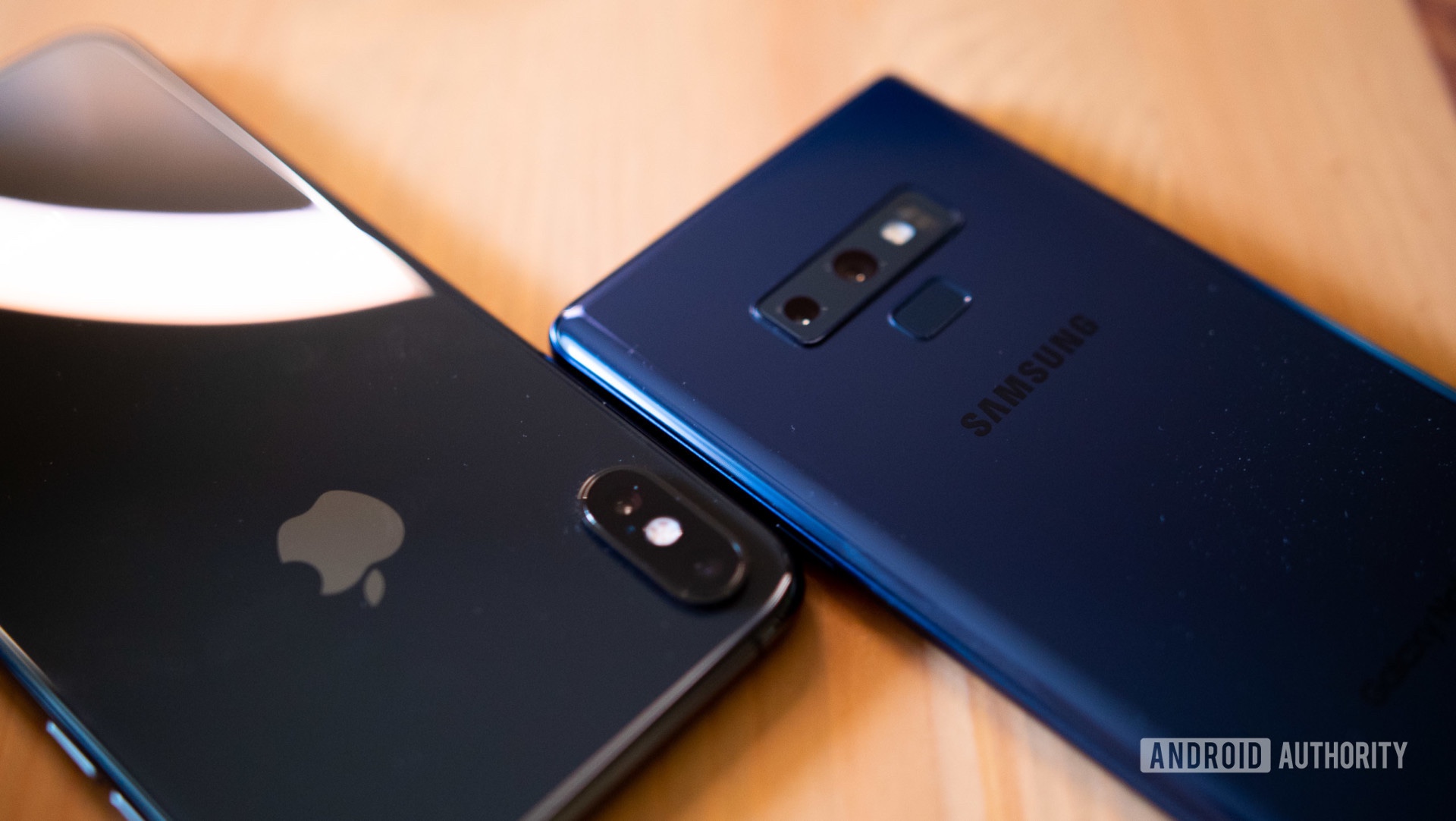
Samsung has recently been setting the new standard for 2019 smartphones. Apple has been losing lots of money for their failure with their 2018 lineup of iPhones. That’s what every tech reviewer has been saying online. However, as a student who lives in an area surrounded by many high school students, I did not see a single galaxy s10 smartphone at school. In fact, I saw so many more people holding iPhone Xr, Xs, and older generation phones. This is what made me wonder…why do so many people choose iPhones over Samsung phones? Why do people gravitate toward the more practical phone over the one that offers so many features? Is it just bandwagon?
image from Android Authority
1. Airdrop
As a student, I see many people living busy lives. They have so many things to take care of such as extracurricular activities, grades, tests, and sports. In the midst of their busy life, having features that would be beneficial in terms of saving time is welcome. The Airdrop feature is extremely useful and comes in handy if photos, videos, or documents need to be sent to one or multiple people. As a result of this feature being so widely used, people who do not own an iPhone or Apple products are unable to “fit” with the others, causing them to start wanting to get an iPhone for themselves. Even I, who owns a galaxy phone, think that Airdrop is extremely handy when sharing photos and documents with each other.
2. iMessage
This goes hand-in-hand with Airdrop, but there are just so many features that Apple products come with that goes along with interaction with others, which appeals to many people. For example, iMessage is something that many students want. Now, if a “blue message” doesn’t pop up for the person, Android users are made fun of. Honestly, there isn’t much more benefits to iMessage. Rather, it’s more of a feature that people want than need. Since majority of the people use iMessage, the other students want to fit in, causing more people to want to own an iPhone.
3. Camera
Yes, Samsung phones also have great camera that is able to capture moments very well. However, there are very big flaws that the galaxy phone cameras have which the iPhone cameras do not. For example, there is so much motion blur and skin blur with Galaxy phones that makes the photos look less realistic. In addition, the colors do not match with the actual object; it makes it brighter or more yellow-toned. On the other hand, iPhones are able to produce very realistic photos that resemble the actual object that is being taken a photo of. In fact, the amount of details that iPhones are able to include with their camera is amazing. Since we live in a time period when social media is so widely used and camera quality is so important, the camera quality plays a huge role in the reason why people purchase iPhones.
4. Protection
iPhones, unlike Android phones, are very good at preventing viruses. Its long-term usability is amazing and it ages very well. Since it’s not very affected by viruses and other factors that could harm the phone, it makes usability much better, and more appealing to people who want to use their phones without worrying about it slowing down too much over time. In addition, the iCloud setup is so complex and there is not many ways a person could hack into an iPhone, allowing the users to feel safe carrying their phone around.
Conclusion
Yes, Samsung phones have gotten a lot better compared to the past. Yes, they are able to create new forms of technology that would shape the future smartphones that are being released. Yes, they have a lot of features that give the users a lot of choices when using their phone. However, the one factor they were unable to cover is one that is most important in the 21st century. They didn’t put as much emphasis on interaction and ways to improve it. Since online interaction is so important nowadays, Apple got it all covered, but there are still many flaws in terms of the messaging systems and just usability in general of Samsung phones. Therefore, if Samsung can improve in that area, many more people would be willing to purchase their devices.
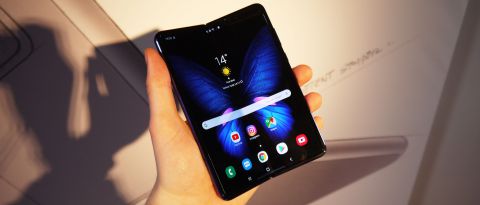
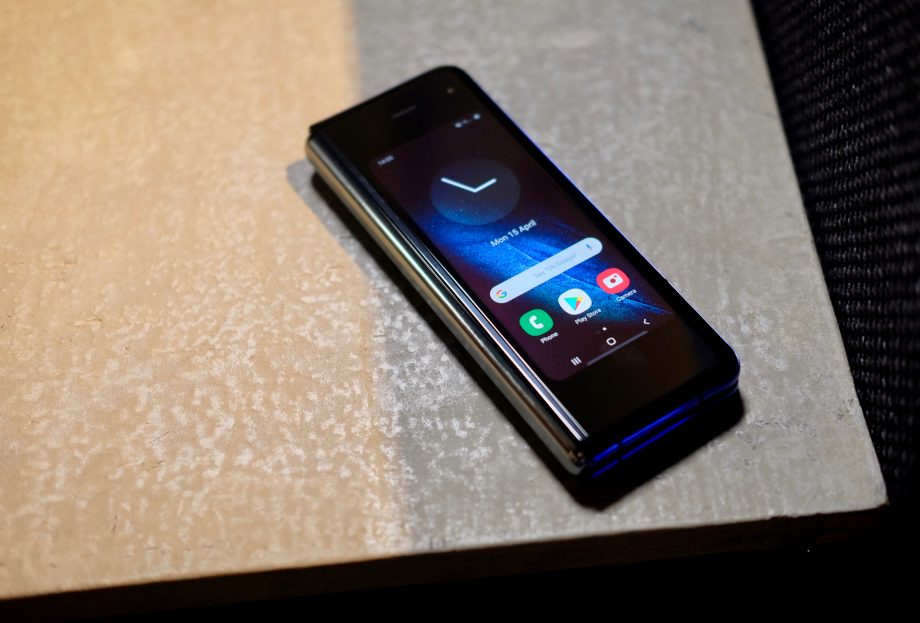
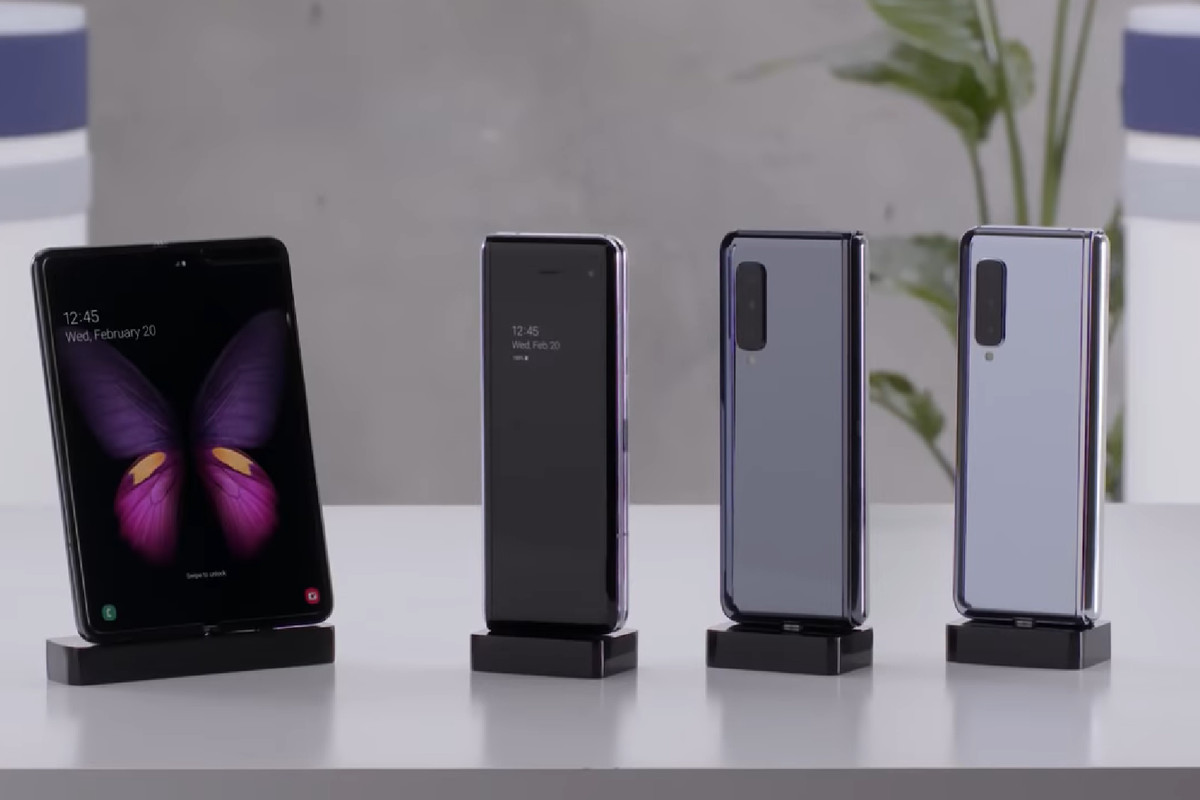
The Galaxy Fold was able to draw lots of attention due to it being a form of technology that no one has ever seen (well there were folding phones before but they were all too lacking). Since Samsung, a huge company, took a huge leap forward, there were many expectations for this nearly $2000 smartphone. However, some of the review units broke after only 2 days, although some of them were caused by human errors. So do the changes made for the Galaxy Fold matter?
photo from TechRadar
Price
$1980. That’s how expensive this smartphone is. Remember when the iPhone X came out and $1000 was considered expensive? Well, the Fold exceeds that…by nearly double the price. I do understand that developing this form of technology would have taken a lot of workers, ideas, planning, materials etc., but how many consumers will be willing to purchase this device just for the new technology? I believe there are better options than to purchase this phone.
For example, purchasing one Galaxy s10 ($849.99) and Galaxy Tab s4 ($649.99) will be around $1500. As for the phone, the s10 is much better and advanced in terms of screen quality. The Galaxy Tab s4 also has a bigger screen for improved video consumption compared to the Fold’s tablet screen. In addition, there are more ways to lessen the amount of money spent by purchasing the s10e instead of the normal s10 and Galaxy Tab s5e.
There are more options if Apple devices are an option. If a person was to purchase an iPhone Xs ($1000) and iPad Pro 2019 ($799.00), it would be around $1800. This is still cheaper than the Galaxy Fold, but if a person didn’t need all of these bells-and-whistles, the iPhone Xr, iPad Air 2019, and iPad 6 are still available for a cheaper price. These cheaper devices still offer more than the Fold so I believe it will be more worth the money to just purchase a close-to-perfection smartphone and tablet.
Quality
photo from Trusted Reviews
The phone screen of the Galaxy Fold is 4.6 inches, which is definitely not a small size. However, the bezels are extremely thick and not fitting in 2019. As a person who owns a Note 9 with a 6.4 inch display and relatively small bezels, I don’t think I’d be able to go back to a screen size so small with thick bezels.
For the tablet portion, the screen size is 7.3 inches, which is smaller than all of the tablets mentions above. I feel that the Fold is too small to be a phone or a tablet. There is nothing about the Fold that will bring full satisfaction to the consumer.
The weight of this smartphone is 263 grams. Considering the fact that the iPad Pro 2019 11″ weighs 468 grams, the Fold is substantially lighter. However, in comparison to the Galaxy s10e which weighs 150 grams, the Fold is like a brick phone. Remember, phones are used for its compactness and comfort when carrying it around. Carrying the phone for too long will cause wrist pain and bring discomfort.
What’s the catch?
Innovation. Although I can’t recommend anyone to purchase this 1st gen Fold, it is a huge turning point for future smartphones since this “beta” phone will serve as a foundation for other companies and Samsung. This new form of technology is why people are praising Samsung regardless of the fact that the phone still has lots to improve on.
photo from The Verge
Conclusion
I am very glad Samsung made this bold move to trigger the world of smartphones. This move will force the other companies to develop other forms of technology that would actually benefit the consumers. However, this isn’t the phone to get. There are still many changes that need to be made for it to actually be integrated wisely into people’s daily lives. I understand what the purpose of a folding phone is, and if the perfect folding phone is to be developed, it would truly be beneficial. However, Samsung has not reached that point yet and there are better deals elsewhere since there are still many problems with the phone that need to be discussed.
So back to the question: Do the changes made for the Galaxy Fold matter?
No. However, since the idea is amazing, after a few refinements are made, its successors would be a huge success.
As a current high school student, smartphones have become such a huge part of my daily life. It is used to take pictures, connect with other people, set up alarms, and log down information. Due to this, it won’t be an overstatement to say that my phone is a part of me which I can’t imagine not having. Since my phone is very highly incorporated into my daily routine, I end up looking for a phone that meets a certain number of criteria that I set. I find no point in having a lot of useless features that could be considered futuristic. I only see the point in perfecting the necessary features, which I will be discussing today. Do the features of the Note 9 actually matter for the people living their everyday lives?
Camera
Pros:
Very high-quality nighttime shots
High quality
Colors are vibrant
Cons:
Slow shutter speed
Very yellow-orange toned
A lot of skin-blur
Front camera has bad HDR (dynamic range)
Camera lens is too big
Motion-blur
Overall, I was pleased with the quality of the photo. One of the main features that attracted me to this phone was the camera quality. When I went to the store to check out the phone, I was blown-away by the quality. Now, I’ve spent around 8 months with this phone and it turns out that one moment doesn’t represent the camera quality as a whole.
There are many cons to the camera that I’ve noticed, but the one feature of the camera that outweighs majority of the cons is the overall high quality. This camera is capable of taking photos that have little to no grain, which allows the pictures to look extremely clean and high-quality. On top of that, the colors that are extremely vivid bring life to dull moments, allowing the moment to seem like an upgraded version. This could be considered a pro or a con, but I personally was fond of it. Where the colors really stood out to me was in low-light. At nighttime, I opened the camera and I was pleasantly surprised at the colors and the light. When I pointed the camera at a group of plants, I was able to vividly see the colors whereas in reality, it was too dark to distinguish the different colors. Here are some example pictures from the Note 9. The last photo is a low-light photo that was mentioned above.
Although there are many pros, there are going to be parts that I am not satisfied with. First, one thing I was extremely disappointed with was the shutter-speed. It seemed to take a picture around 1 second after I pressed the shutter, which caused there to be more motion blur. The motion blur would mean that I would need to take multiple shots when I could’ve just taken one and gotten it over with. Yes, I could just wait a little longer after clicking on the shutter, but these extra seconds that I need to wait for makes a huge difference when I need to quickly take a picture. After the Android 9.0 update, the shutter speed did get a little better, but improvements still need to be made.
There was only a slight movement in the camera, yet there is a very noticeable motion blur.
The front camera is acceptable, but compared to other phones like iPhone and the Pixel, it is way behind in terms of quality and color. The front camera seems to brighten up my skin tone a bit too much, in addition to blowing away the entire background in some cases. The HDR is terrible in the front camera and the Live Photos option, which causes the background to completely turn white in some circumstances (when the sun is behind me), which is very disappointing.
Another disappointment is that the colors of the photos are generally yellow-toned, which make the photos look less pretty, although the quality is high. Because of this, photo editing is required to lessen down the amount of yellow in the photos.
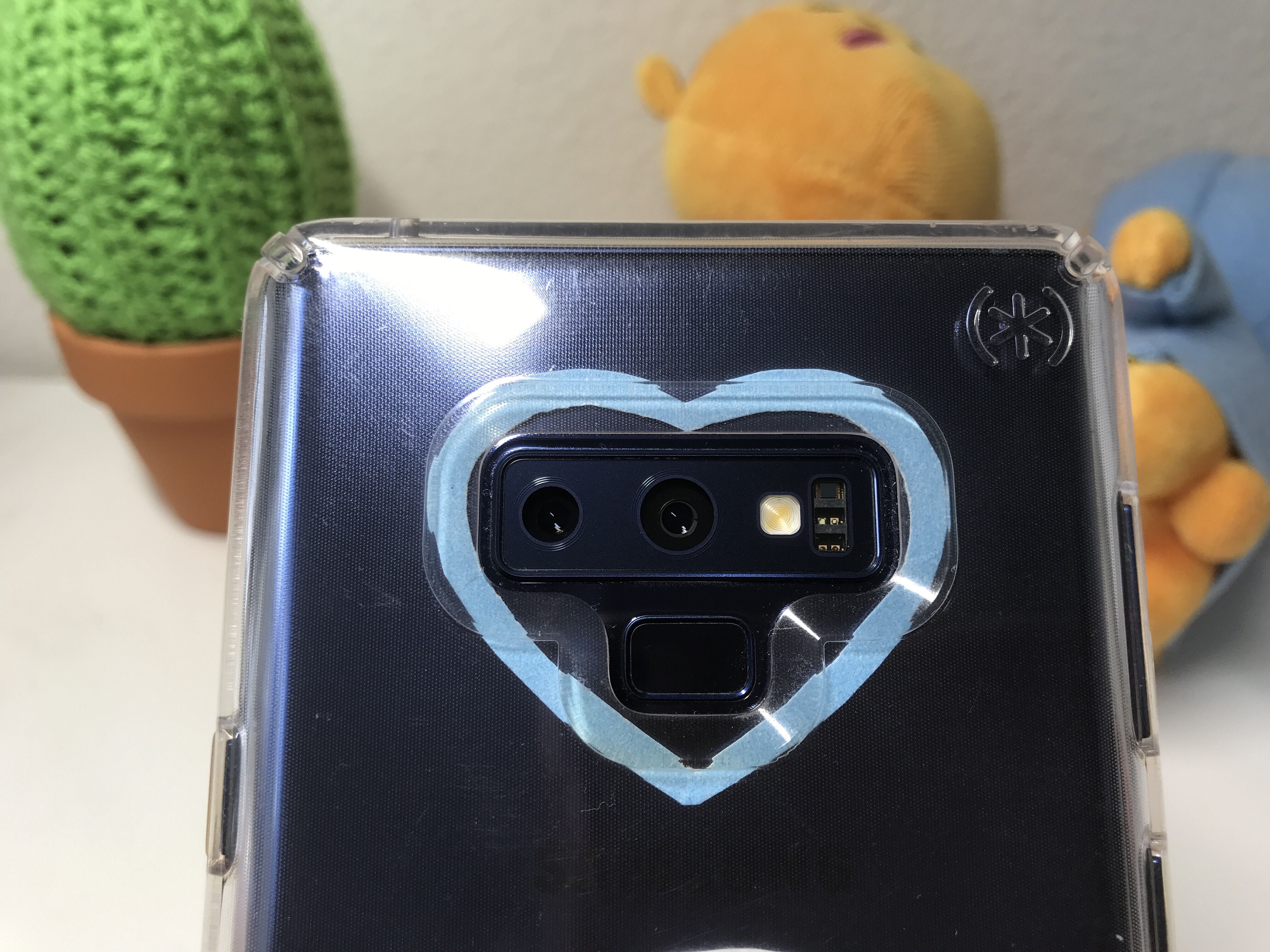
Other than the quality of the phone itself, the camera lens is just too big to the point where it attracts way too many fingerprints, scratches, etc. I have to wipe my lens multiple times per day in order to maintain the quality of my phone. My parents and my sister both don’t wipe the camera lens and the camera quality is significantly worse this way.
It seems like there are more cons than pros, but the quality itself ends up outweighing many problems and justifies some of them as well. Overall, I am pretty satisfied with the camera quality.
Screen
Pros:
Extremely big
High-resolution
Curved screen
Always On Display
Cons:
Screen Protector
Extremely big
Edge screen isn’t very useful
The screen was something I was extremely pleased with. First of all, the very big screen allows watching videos much more immersive, which is beneficial when going to the gym to watch videos (in my circumstance). In addition, when using this powerful phone to study, having a large screen is a plus, especially if it has one of the best screens in any phone. Yes, not many people are going to notice the difference between FHD and QHD+. In fact, I can barely notice any difference, but the high-resolution screen allows the side views of the screen to still be vibrant and clear.
The extremely big screen has many cons to it as well, such as it being harder to hold, in addition to the phone being much heavier. In fact, in circumstances where I can only use my phone with one hand, it is physically impossible to be able to type properly without the fear of dropping my phone. Because of this, the curved screen is beneficial as to holding the phone, and it makes the screen feel extremely smooth.
Although I appreciate the curved screen, one disadvantage of it is the available screen protectors. Because it is harder to make screen protectors for this curved screen, the good ones end up being extremely expensive and the ones with a good price end up not sticking on the curved edges. On my previous phones, I applied a glass screen protector so that I can be confident that the actual screen won’t crack. The glass screen protectors that I used to buy were around $10, which was a good price. However, the few glass screen protectors that apply well for the Note 9 are around $50 which is way above what I was willing to pay. Due to this, I ended up setting for just a clear film protector, which is why I always look for protective cases to guarantee that my screen won’t crack.
Also, I found that the purpose of having a curved display is to make the screen more immersive, in addition to including the edge screen features. The idea of edge screen features is amazing since there are so many shortcuts for a more efficient phone usage. However, majority of the time, I find myself forgetting about all of the extra features, such as the reminder, apps edge, etc. The only feature I use on a daily basis is the people edge which has a list of a few people in my contacts that I want included. This is something I find extremely helpful since I can communicate with people with one click.
One feature that I am extremely fond of is the Always on Display. With this, I can always check the time and see some of my notifications without turning my phone on. This feature does drain my battery a bit faster, but I face my phone down most of the time anyways so it didn’t bother me very much.
Overall, I am extremely satisfied with the screen of the phone and its design.
S-Pen
Pros:
Saves paper when taking notes or studying
Good way to spend time
Good for drawing, designing, etc.
Cons:
Falls out when phone dropped
Breaks easily
When I bought my phone, I chose to pre-order because the new smart s-pen completely astonished me. I understood that there were other options, such the s9+ which is significantly cheaper but also very similar to the Note 9. In fact, I was unable to make a decision for a while. However, now that I have the s-pen, I don’t regret purchasing the Note 9 even one bit.
The s-pen comes in extremely handy when I’m studying and taking notes. The screen is a bit too small to take complete notes, but when I forget to bring my notebook or I need to log something down at a certain moment, it is a very good bonus. In addition, the use of the printer and ink decreased tremendously after getting this phone because when I practice for certain tests, such as my Chinese test where I need to practice writing a lot, having the s-pen is extremely useful.
One of the most advertised features was the bluetooth connection of the s-pen which would allow the consumers to take pictures, change songs, etc. by using the s-pen. This feature was very extensively used during the first week I owned my phone, but as time passes, I find myself just taking normal photos, mainly since I have a person to take a picture for me majority of the time. I may not have used it very much but it is still a nice feature to have!
There are a few cons that do not relate to the features of the s-pen but more of the hardware. First, it falls out almost every time my phone is dropped. I haven’t dropped my phone very much, but I find it extremely annoying because this makes it just so much easier to lose our s-pen. Honestly though, if the s-pen just fell out and nothing happened, I couldn’t care less. However, it breaks way to easily. It is so easy to snap it in half which means that unless we purchase another one (which is around $50), the phone would technically be the s9+ for a much higher price. In fact, my sister dropped her phone once and already broke her s-pen.
Specs and how it held up
Android phones as a whole are very prone to viruses and slowing down. This was something I was extremely worried about since I plan to keep my phone for a few years. I realize now that there was absolutely no reason to worry because other than occasional stutters, this phone is so blazing fast and responsive. This may not be because the phone got better at protecting itself because I am extremely careful as to what sites I go on so that my phone doesn’t catch any viruses.
In terms of battery, I am a little underwhelmed due to it not being as amazing as how Samsung promoted it. As a student, I carry my phone around everywhere which includes both indoors and outdoors. However, since I go to a lot of places, I spend a lot of time outside under the blazing sun. As I mentioned earlier, the screen can get significantly bright, which means that under the sun, the phone maximizes its brightness. This is extremely good for using my phone outside, but since the brightness is maximized majority of the day, my battery drains just as fast. By the time I get home from school, I’m already at 50%-60%, which I am highly disappointed in.
As for the ways on unlocking my phone, when I first purchased it, I was very happy with the responsiveness of the fingerprint sensor. Whenever I watched reviews that said the scanner was too slow, I wasn’t able to relate. Now that I used my phone for 8 months, I can sense the scanner slowing down. This isn’t a huge deal, but it is noticeable.
I am very fond of the base storage which came in 128 gb which means that I don’t have to delete my apps and photos to keep on using my phone. To add on, another bonus is the fast charging which I love especially when I have to quickly charge my phone and go out somewhere.
Social Media
I’m sure most of the students and teenagers in this world can relate, but social media and SMS is very important and highly integrated into our daily lives. I was very disappointed, however, with my experience of using social media on this phone.
The major problem is the downgrade in quality when using my social media apps. First of all, when sending photos through Instagram, the quality gets significantly worse to the point where all the details get blown away. This is very noticeable when I send photos of writing since none of the words are legible. Another con is that because of the aspect ratio being 18.5:9, when people with iPhones or other android phones send me photos, sometimes, the sides end up being cut off when sent to me, which means that I would have to ask them to end me the photo again.
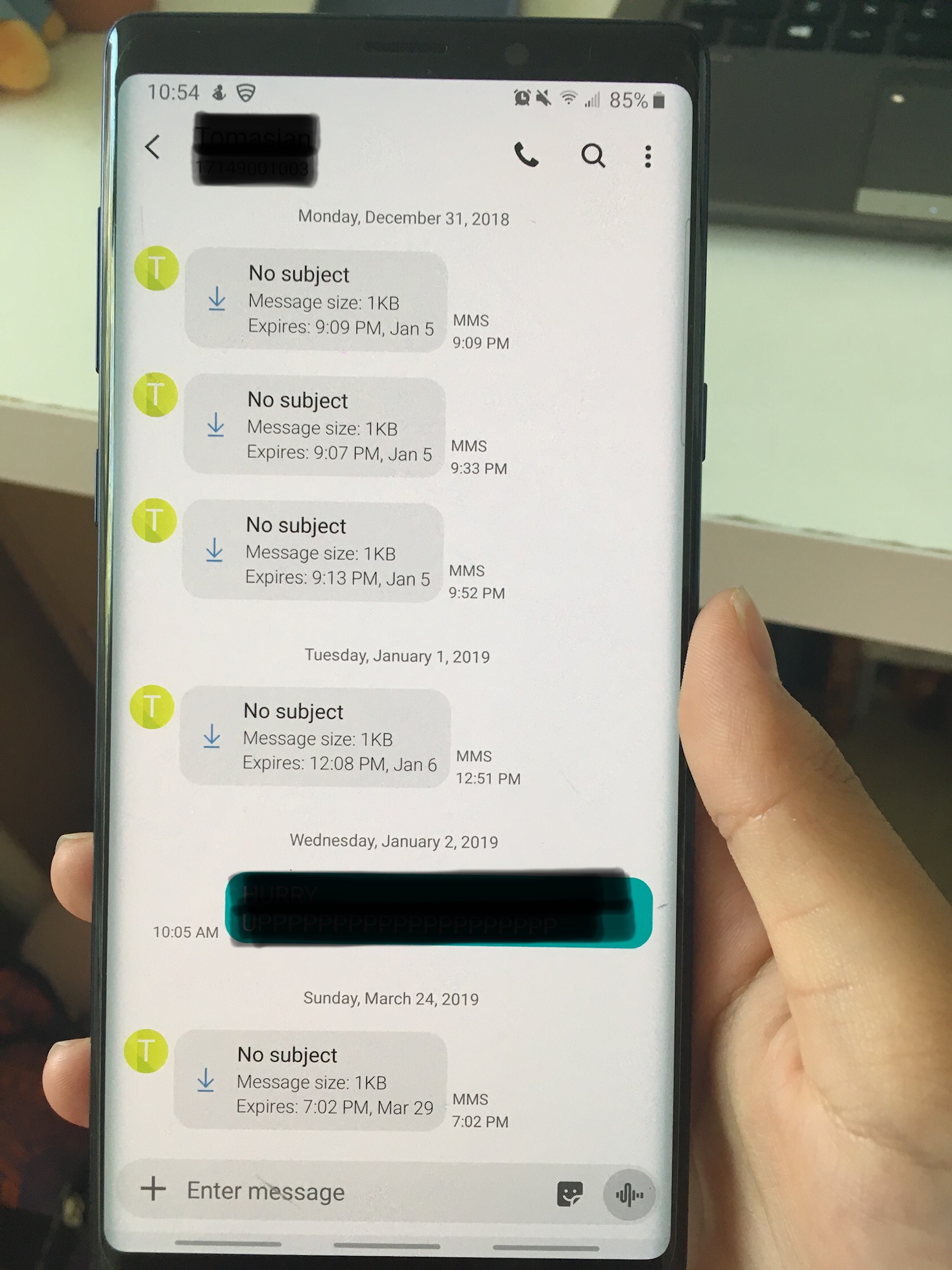
Whereas for Instagram there were only photo quality problems, my messenger app has messaging problems as well as photo quality problems. When a photo is sent through the built in Samsung messenger app, the quality is absolutely terrible. Because of this, I have to use another third-party messaging app to have the photos sent to me in full quality. Not only this, but the group messenger app has a lot of problems. For example, some of the messages just don’t get sent to me at all and sometimes, I get an individual message that doesn’t even show any message and just says “No subject”. This problem seems to not only be in the Note 9 but almost all of the android phones.
Conclusion
My phone is something I am extremely glad to have purchased. Yes, there are lots of features that I may not have been satisfied with, but I do not regret purchasing this phone, mainly due to the big display, camera quality, and the s-pen. As the Note 9 is considered a “power-house”, it is packed with lots of features that make the price of the phone increase as well. Due to this, I constantly make an effort to make use of a lot of the features yet still cannot find myself able to utilize all of them in my day-to-day life. If I am making an effort and is still unable to use all of the features included, will an average consumer be paying a justifiable price of $1000 for the phone?
So back to the question: Do the features of the Note 9 actually matter for the people living their everyday lives?
Probably not.
But would I recommend this phone to a person who wants to purchase it at this time of the year?
Yes. Especially with the dropped prices, it will definitely be worth it.








 Rachel’s Reviews