Motivation. I’ve published many blog posts that are related to the topic of motivation. Oftentimes, these posts focused on motivation to work, motivation to be more productive, etc.. Motivation is crucial in our everyday lives, but many people do not have the endurance or perseverance to push through and achieve their goals. Exercising is difficult, especially with no one to push you. With so many temptations, like the couch and the TV, the reason to go through the pain and hardship seems to diminish.
Not working out at all, however, is unhealthy. Even if you never exercised before quarantine, without even knowing it, you probably were active. For example, as a student, I walked at least 6000 steps daily just at school. That was my step count with no physical education or sport at school. Since I constantly walked around at school, I was able to get some sort of exercise. However, now, quarantine forced many people to stay at home, getting rid of any reason to walk around all day. This is why I started to workout and was able to gather some tips in the process.
1. YouTube
Many people go to the gym to workout. And there are quite a lot of people who have personal trainers telling them what to do. The benefit of having a personal trainer is that you can’t give up for the sole reason of being tired. The trainers push you harder and have structured plans. In simple terms, the only tough part is the exercise itself, rather than finding the motivation.
However, most gyms are closed now, so there needs to be another way to workout and to push ourselves. The best way, I realized, is to find a at-home workout on YouTube. Then, I would copy the workouts exactly the way the YouTuber in the video does them. Yes, just following those workouts may be no different from just creating our own workout routine to follow. However, the difference is the motivation we can get.
When I watch the videos, I think to myself, If they can do it, why can’t I?. Since the trainers in the video pushed themselves to film the video, it lets me know that I am capable of finishing the routine. It also motivates me to keep the same pace as them, which makes me workout more efficiently.
2. Music
A big reason people do not like to workout is because of the pain. It is so hard to hold a plank for 2 minutes. It is so hard to do 50 squats. However, this mindset makes it more difficult to finish the workout and makes the person hate working out even more. I found that having some sort of distraction can get my mind off the pain.
A good solution I found was listening to music I like while working out. If I focus on the song (the lyrics and the beats), rather than how hard the workout is, the workout suddenly feels so much shorter, and I feel much happier while performing the routine. I recommend creating a playlist of hyped music that you enjoy listening to play when you workout!
3. Calendar
I created a rewards system for myself. If I worked out for 10 consecutive days and controlled my diet, I would give myself one “cheat” day where I would not need to workout.
A calendar was very useful for this system because I could keep track of the days that I worked out. I would draw a symbol on the days that I workout so that if I see 10 consecutively drawn symbols, I can rest for a day. The “cheat” day that I can get pushes me to exercise because it gives me a sense of achievement.
In addition, since the calendar very clearly shows the progress that I’ve been making, it pushes me to continue and not break the streak. I have the calendar on the wall in front of my desk to remind myself to make healthy choices.
The day that I am starting my draft is 6/24, which means that it has been exactly 4 months since I purchased my iPhone 11. I actually posted two first-impressions reviews after using it for around 2-3 weeks. Some of my impressions stayed the same and some are different after spending more time with the phone. There are also some things that I will mention in the review that I didn’t notice previously. So, I’ll get right to it!
Pros:
1. Camera!!!
Before I purchased the iPhone 11, I used the Galaxy Note 9 for 18 months. Even though I was generally satisfied with the phone, the one thing I wished for was better camera quality. Thankfully, the iPhone 11’s camera is very clear, detailed, and the colors are very natural. No matter what the situation is, the photos turn out well and the shutter speed is also really fast, which are the two factors that the Note 9 was lacking in. I am so satisfied with the camera and the results it produces!
2. Colors
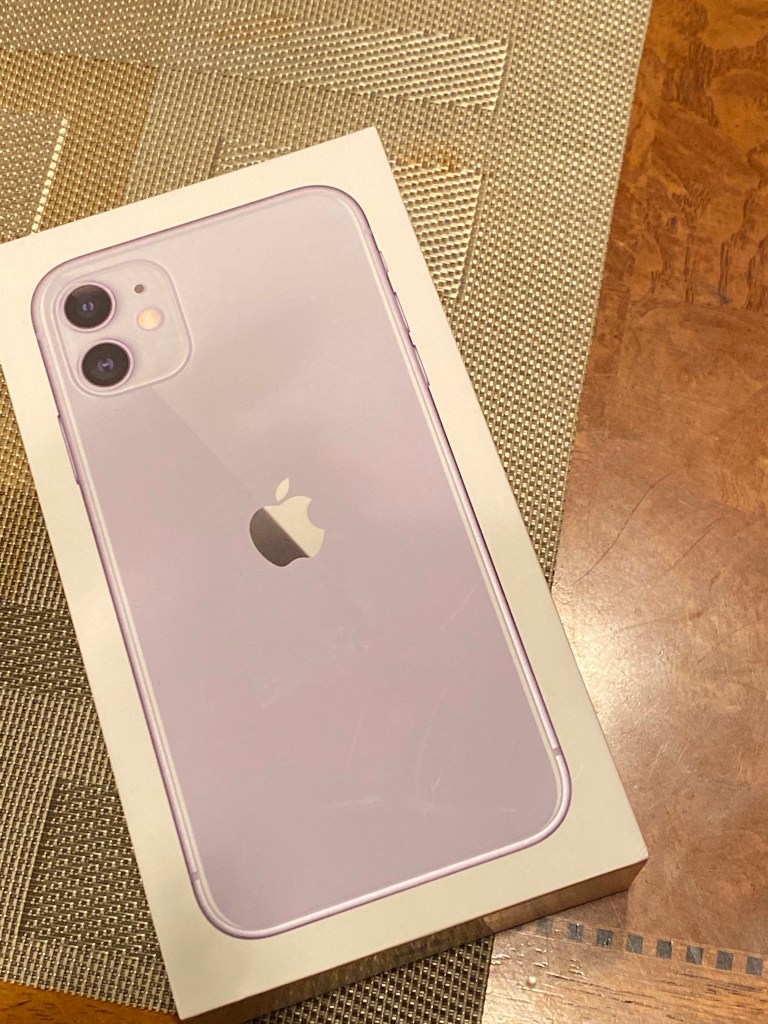
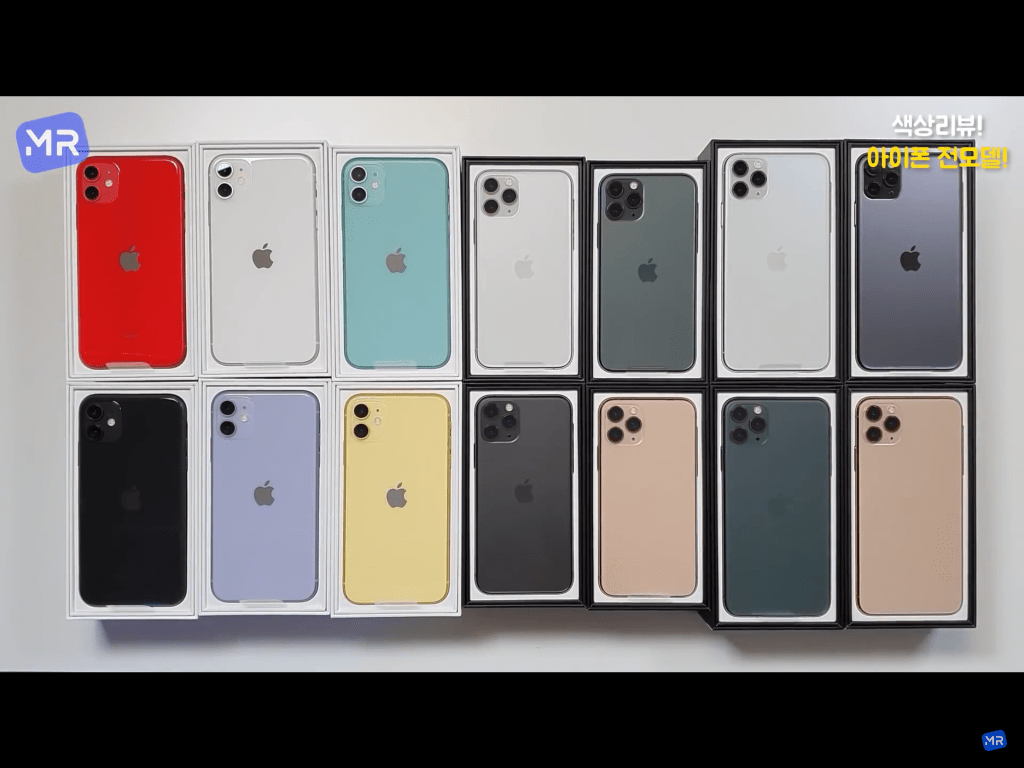
I own the iPhone 11 purple color. Yes, the design may not be important for some people, but one of the factors that pushed me into getting the phone was the color choices. Even now, I still think the lavender color is very pretty, and I still don’t regret choosing it to this day. I feel like the colors make it more special and pop more compared to other phones. I personally also find the yellow and the green very pretty, especially now that it’s summertime.
3. Fluidity
This does not particularly only apply to iPhone 11 but to any iPhones without a home button. Since quarantine started, the number of hours I spend on my phone naturally increased. During my increased usage, I couldn’t help but notice how fluid it is moving from app to app and just navigating through my phone. Everything is done by gestures, and since the phone rarely lags, everything is so smooth and makes the user experience so much better.
Cons:
1. Build Quality?!?!?!?!!
Even after 18 months of use, I didn’t have a single scratch or dent on my Note 9. That shows how careful I am with my phones, and it also shows that the build quality is very good. With my iPhone 11, I am still very careful with it, yet I already found scratches and dents. My original screen protector did not protect the entire screen, so somehow, without me even dropping the phone, the part that wasn’t covered by a screen protector has a scratch on it. Now, I use a full-cover screen protector since I know that the build quality is definitely not the best. I also have a dent in my earpiece speaker grill, which was very annoying when it first formed. I feel that it is so easy to dent and scratch the phone, which is a big minus for me.
2. Weight and Size
I personally prefer bigger screens over smaller ones. However, this does not mean that I enjoy using super heavy phones everyday. Since the phone is so heavy, my wrist hurts after using my phone for a long period of time. Not only that, the weight makes the size unbearable, which is a rare feeling that I get since I love big screens. Especially with a decently protective phone case, its heavy weight is very noticeable and I really wish the phone was much lighter. My mom’s phone, the Galaxy s10, has the same screen size, yet it is so much lighter and much easier to hold everyday. I hope Apple will begin to make their phones lighter since it is a common complaint.
It is very easy to set goals and create a schedule. Anyone can say I’m going to lose 20 pounds. Anyone can say I’m going to study for 12 hours per day. Anyone can say I’m only going to use my phone for 30 minutes per day. However, only few of those people can actually achieve those goals.
Achieving goals can be defined with two words: motivation and passion. Without true passion or motivation, it is impossible to succeed. Failure to carry out a task demonstrates the lack of passion and dedication; it is not worth the struggle to fulfill his or her desire.
First, it is crucial to know the exact reasons why the goal needs to be met. Without a clear reason, humans will naturally lose the will to work for it. After coming up with reasons and building up a true passion, the only factor needed is motivation.
Motivation can be formed in two different ways, based on the person. One way is by picturing the moment when the goal is achieved. When facing hardships, imagining the moment of achieving the goal should push the person and help them work harder.
Another way is by picturing the moment if the goal is not reached. That feeling of devastation and misery can motivate a person to push him or herself harder to avoid that situation.
I was always a student that was lazy and unmotivated to work. The only way I got motivation was by due dates and watching people working really hard around me. By this, I mean that I would procrastinate on any given assignment, and then get motivated to work really hard due to the stress of not getting the work done on time.
This was already an unhealthy method, but quarantine made this type of motivation not possible due to the flexibility of online schooling. Since there was no one around me who was working hard, I was unable to get motivation from that either. This led to me spending the first few weeks of quarantine very lazily. At a certain point, however, I realized that I have to find something to do other than rolling around in bed all day.
As a pro-lazy high schooler, I’ll be giving some helpful tips in being productive during the day!
1. Wake up, no phone
Especially since I’m not busy in the morning nowadays, it’s really easy to just start scrolling through social media as soon as I open my eyes. However, this is a terrible habit to have and a perfect way to start a lazyday.
Once we start using any entertaining apps, such as YouTube or Instagram, as soon as we wake up, it is very hard to stop and start working on actual things that need to get done. In fact, from early in the morning, we’d get used to not using our brain that when it becomes time to actually start studying or working, it would feel to tiring or boring.
That’s why as soon as we wake up, we need to just get right to what we have to get done. Then, our brain will get used to working in the morning, and it’s easy to stay productive that way. Rather than having a rested brain feel “normal” and a working brain feel “tiring”, our working brain will feel “normal” and a rested brain will feel like a present for the hard work.
2. Keep Moving
Oftentimes, people say that they will be productive the next day, yet they start the next day by rolling around on bed. I know very well how hard it is to get out of bed. Once we get comfy, it’s really hard to tell ourselves to get out and start working. That’s why instead of getting comfy on bed, it’s much better to just start moving.
I realized that if you just start moving around and constantly find things to do, there is no time to get lazy. Even if the activity may not be related to the work that needs to get done, it’s much better to do something productive that will keep the mind and body active.
3. Sleep More
When I actually needed to go to school everyday, I always complained about sleep deprivation and the amount of schoolwork I have. As funny as it sounds, I sleep less now, even though I have so little work compared to back then. The thought that I don’t have to wake up early the next day got me to sleep later and later everyday, and my sleep schedule was completely messed up for a while. However, this terrible sleep schedule greatly impacts my productivity.
If we don’t get a lot of sleep, there is a high chance that we will feel sleepy all day the next day. Then, it would cause the person to get lazy and not want to work on the things that they need to work on. This would lead the person into spending another lazy day and resting all day. Then, by nighttime, it would be hard to fall asleep due to the amount of rest during the day. This is how a terrible, unproductive routine begins.
Therefore, sleeping more will allow the body to be fully rested and ready to take on the tasks for the day.
I’ve been using my iPhone 11 for the past two months (time flies by really fast).
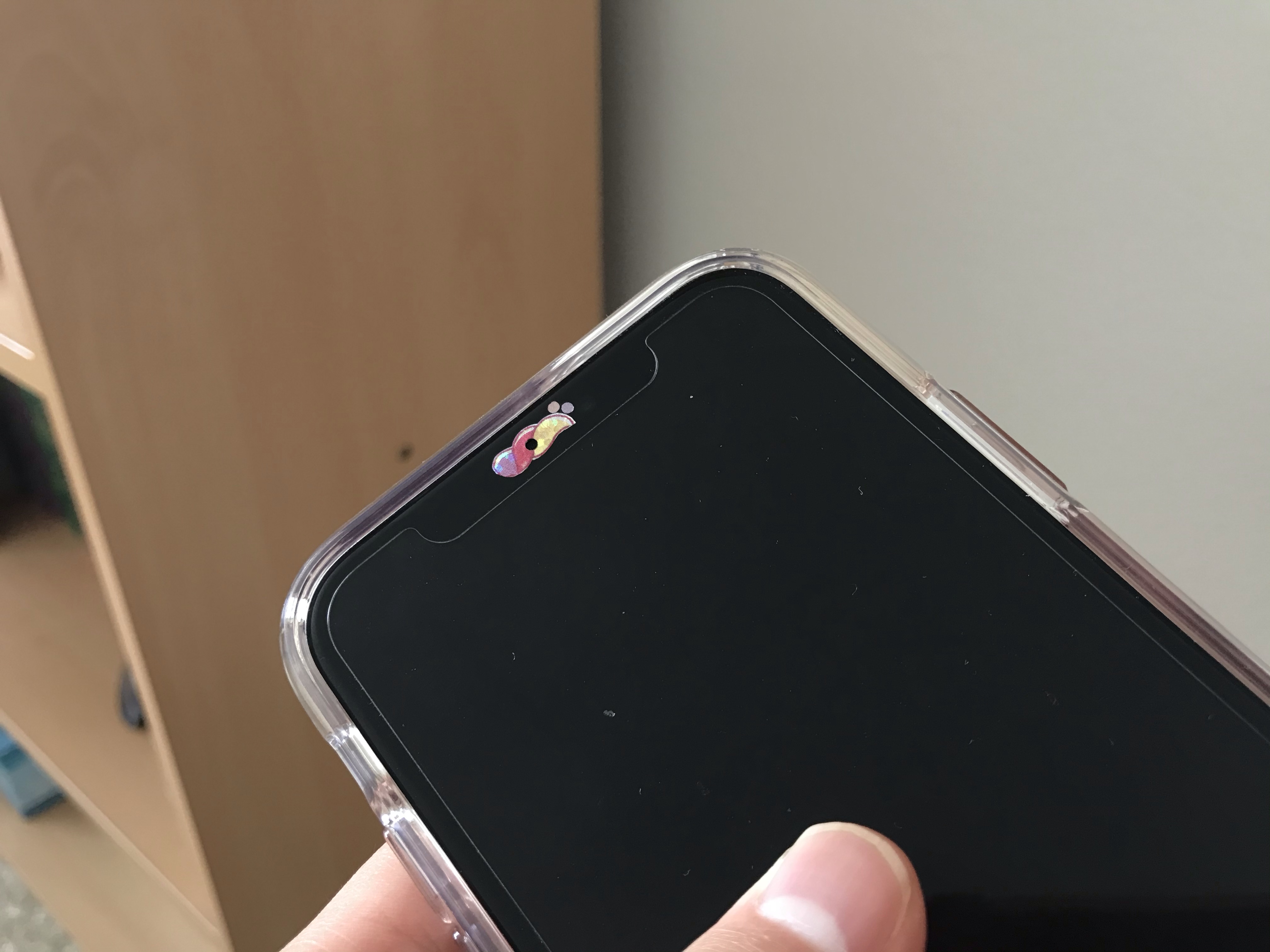
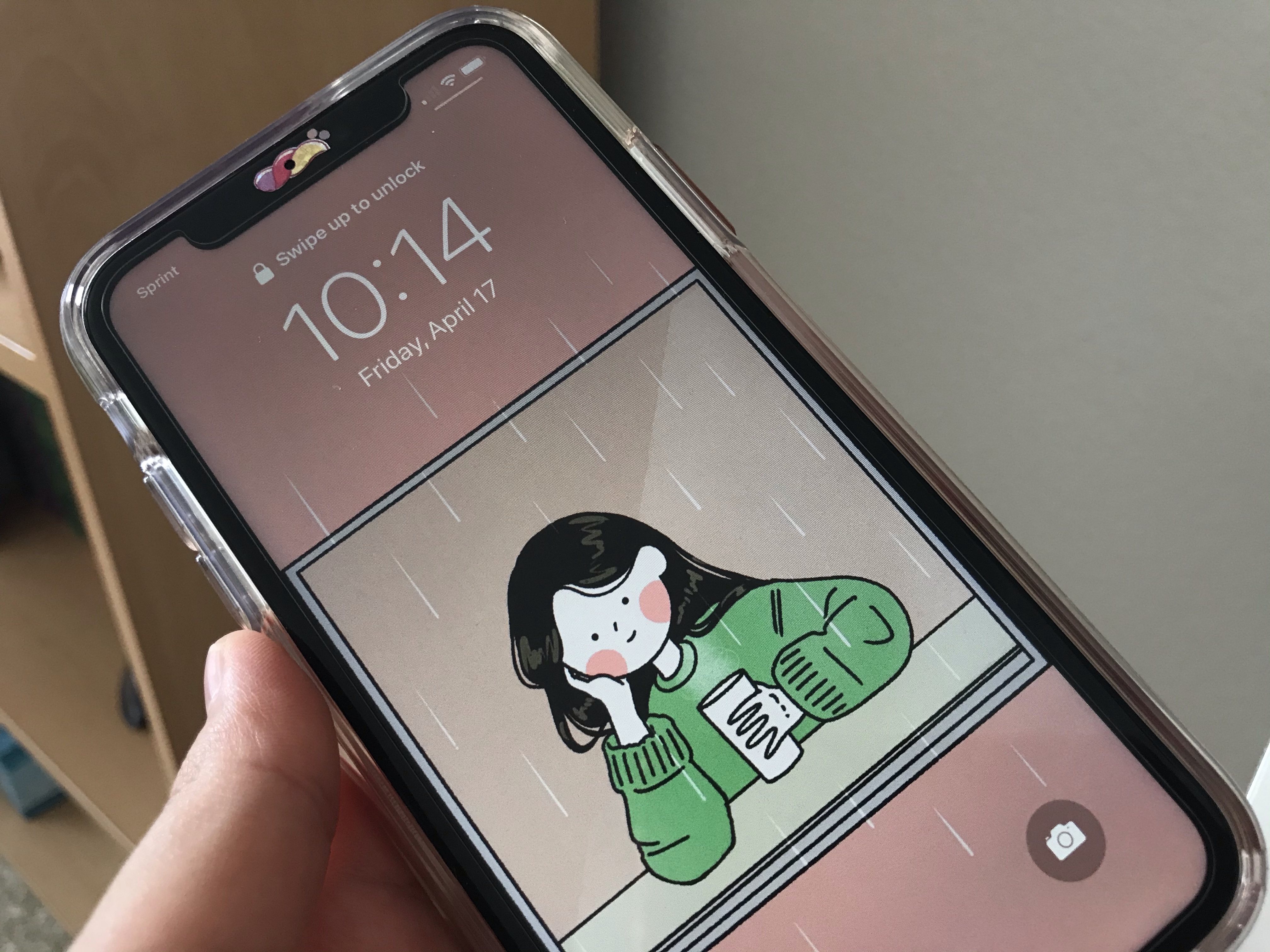
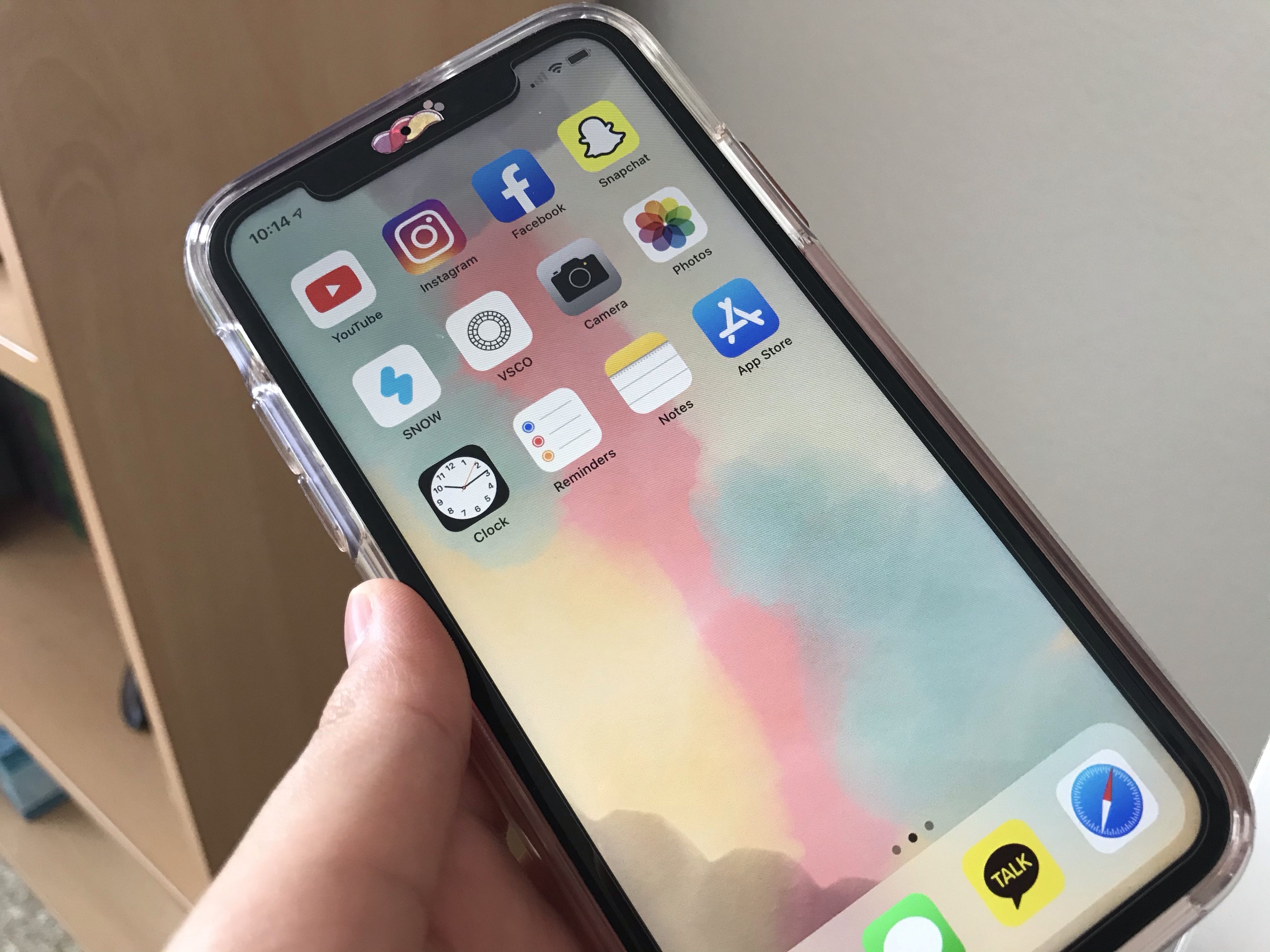
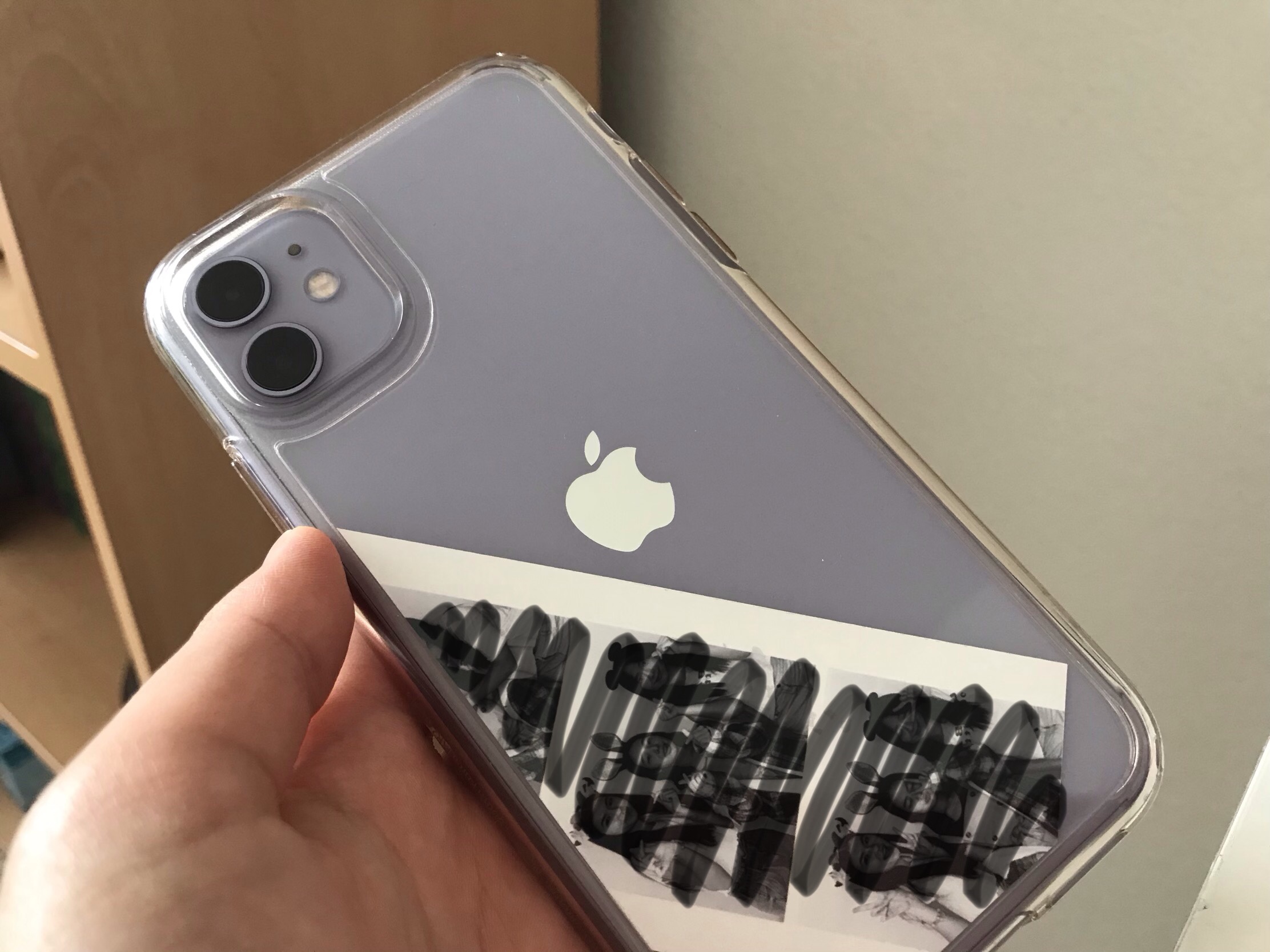
For a quick TMI, I’ve been actually having fun with my phone because I continuously customize it based on the way I want it. I put some very sparkly stickers on the notch, but it was actually quite difficult because of earpiece sticker and all of the sensors on the notch. I still enjoyed it because it was a great way to pass the time because I seem to have nothing to do these days. I actually would’ve wanted to put more stickers on the front side, but the size of the bezels made it very difficult. I personally love small bezels, like the one Samsung phones have nowadays, but this was the first time I actually wanted larger bezels. On the backside, I kept it simple by just putting in photobooth photo with my friends. I decided to just customize my phone that reflected my personality. When people first see me, I appear to be more calm and mature (I think), which is why I kept the backside more simple. When people get to know me, they understand that I am the completely opposite of their first impression, which is why I put such fancy sparkly stickers on the front of my phone.
Anyways, since it’s hard to imagine, I’ll insert some pictures below.
For the photo of the back, I scribbled out the pictures but thats how I placed the photo in my case.
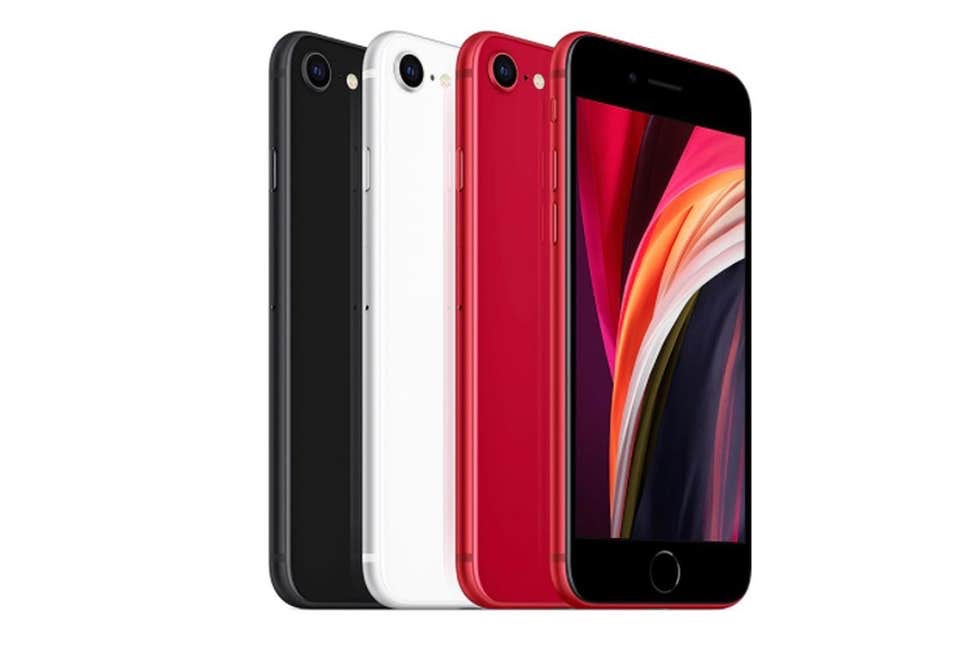
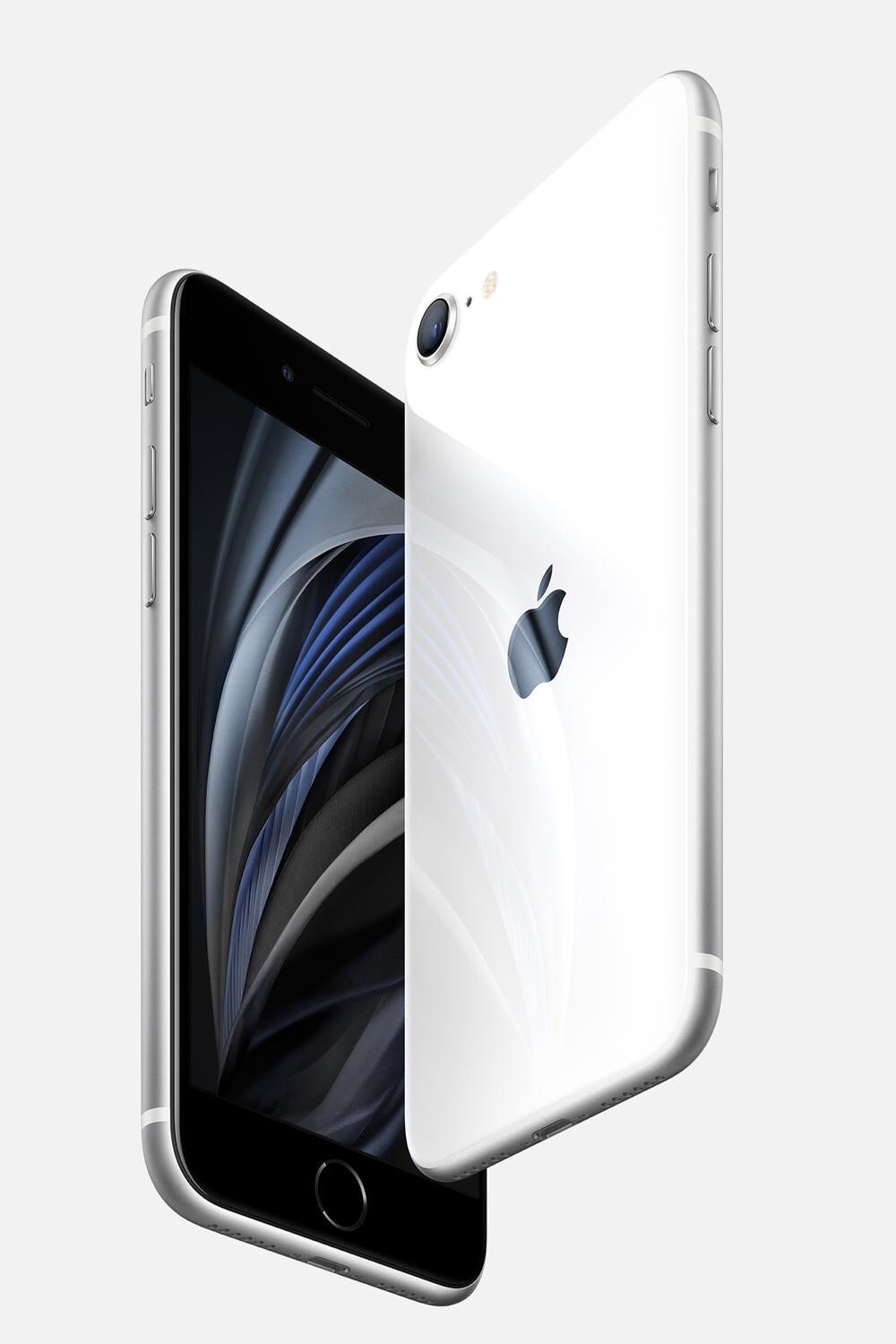
Now, onto the main topic of this blog, I was actually pleasantly surprised with the revealing of the new iPhone SE. When I saw a post about it on Social Media, I thought that it was another rumored photo. When I learned that it actually released and saw the specs, along with the price, I was soso pleasantly surprised. It sort of made me feel like what if I just didn’t buy the iPhone 11 HAHA. Okay, I’ll go into what I love about it.
Both of these pics do not belong to me.
1. The Design!
I know that the iPhone 8 design is considered to be very outdated and old. Honestly, I do agree because even if I have the iPhone 11, which has significantly smaller bezels than the previous models that had home buttons, compared to my parents’ phones, which are the Note 10+ and the s10, my phone’s bezel seems incredibly big and my phone looks a lot more outdated.
However, there is this iPhone-ness that only the models with home buttons have that I really missed. In addition, as I mentioned earlier, I began to like decorating my phone, and there are times when I wish the bezels were bigger, so it’s not a big problem. Since the iPhone 11 was my first iPhone, I actually never used the models with home buttons. However, whenever I use my friend’s iPhone 8, I was so shocked at how compact and comfortable it was to use. I do love big screens, but I actually prefer the iPhone 8 design much more than the iPhone 11 design, which has the strange placement of the cameras on the back.
Especially during this time of Quarantine, home button with Touch ID is much more practical than the face ID since so many people are using masks these days so it’s harder to unlock our phones.
In addition, recently, I feel that my wrist has a harder time using my phone for a long time because of how heavy it is. For some reason, I didn’t feel this much discomfort when I used my Note 9, even though it technically weighs more. However, the fact that the iPhone 8 is light and easy to grip is a huge win factor for me.
Some things that I wish, however, is that at this point in time, I feel that the original placement of the apple logo and the iPhone logo of the iPhone 8 is prettier than the new one on the SE. However, I know for sure that I am going to start liking the new placement more. I also feel that iPhone 8 originally had amazing colors, especially the gold. Those pretty colors are gone now and replaced with very XR-like colors. Also, I do wish the white phone came with a white front because that gives off the actual iPhone-ness that I mentioned earlier. However, I don’t hate the black front since many people use night mode these days and I feel that black bezels suit night mode better.
2. The Price!
Of course, with the SE, I can’t disregard the price. I actually have a first generation iPhone SE at home because I wanted a separate cheaper phone at a period of my life. I felt that although it is very small, it was well-worth the price because it was significantly cheaper than the iPhone 6s that launched that year.
The 128gb iPhone SE2 is $449, which is around half the price of the 128gb iPhone 11 I own. That makes me wonder if the things I gain with the iPhone 11 are worth the price. I know that the iPhone 11 is known to be the best iPhone for most people since there is a greater advantage worth the money compared to the Pro series. However, the iPhone SE comes with the same chip, similar cameras, and has everything that a lot of people need.
In addition, a lot of people who own iPhones also own some sort of other apple device, such as the Macbook or iPad. I feel that this means that they normally watch videos and Netflix on those devices, like I watch everything on my iPad. This means that a big screen is not completely necessary, and in fact a smaller size might be better since phones are carried around everywhere.
Conclusion
Just based on the headings I have, it seems as though I am only surprised about two things, but within each section, there are many different pros I also included, which I really love about this new phone. During a period of financial crisis like this, I believe that it was very clever for Apple to release a phone that is actually affordable. I really love this phone and if I hadn’t purchased my iPhone 11 two months ago, I probably would’ve gone with this because it’s so worth the price.
As a result of the outbreak of the Covid-19, students are required to take online schooling at least until April 10th. In addition, we are currently in a lock down in which we can’t leave our house unless really needed to, such as grocery shopping. As a result, I have been spending over a week at just my house without leaving even once. The only time I got a breath of fresh air was for 30 minutes in front of my garage. This makes it incredibly easy for us to constantly want to go outside and socialize with people. In order to relieve some desire to go outside, I have some apps that I want to recommend.
1. Houseparty
This is a very famous app already, but it seems to be necessary in a time like this. Houseparty is a very fun videocalling app. Although many people use FaceTime, FaceTime is limited to only Apple users. Houseparty, on the other hand, is available for all mobile devices. This app notifies you when someone that you added is “in the House” so that if you know that someone is active and you want to talk to them, you can join their conversation, similarly to when you talk to people in real life. If you want your conversation to be private, however, you can lock the room so that people can’t randomly join. There are fun additions to the app, such as games, which is fun for friends to use. Some negatives is that the quality of the camera is often bad (there are lots of visible pixels) and that the device’s battery runs out quickly when Houseparty is being used.
2. Google News
I have never read or kept up with news as much as I have been this past week. Since I know that we are not just having a break, I want to make sure I know what is happening in the world in terms of the progress of the Covid-19. In addition, since many things are happening at once in the US, it is good to be more knowledgeable. Not only that, but many people are bored at home without any more things to watch or Instagram posts to look at. This is a good reason why people should try keeping up with the virus so that we can prepare for what ends up happening.
3. Pinterest
I’m sure everyone’s heard of this app at least once in their lives. However, this app comes in very handy while quarantined because it is very easy to lose motivation when home alone. As a result, it is much easier to be more productive at home while seeing the posts that are interesting. Not only this, but if you are willing to do something productive but cannot think of any ideas, Pinterest is a great start. Starting off with the ideas that are presented in Pinterest, a person can expand on them and create what is unique. “Create” does not particularly refer to just artworks – it refers to anything a person is passionate about that they want to improve on.
In my last blog post, I covered the pros of the iPhone 11. That post was written one week of use. Although I did use my phone for 3 weeks, the cons that I thought of after my 1st week of use still remain and there were no more that were added. For sure, the negatives do not outweigh the positives because I have been enjoying my use so far.
1. Weight
I owned the Note 9 previously which had a 6.4 inch screen. This phone has 6.1 inch screen, which is smaller than that of the Note 9. The iPhone 11 (194g) does have a lighter weight than the Note 9 (201g) by a few grams. However, because the screen is smaller, the phone seems much heavier than my Note 9 did. In addition, since iPhones cost a lot to repair, I put on a more protective clear case, which added more bulk and weight to the phone. This makes it very inconvenient to carry around.
My mom owns the Galaxy S10 and my dad owns the Galaxy Note 10+. First, the S10 has the same screen size as the iPhone 11. However, I was so shocked when I carried her phone because it was so light (157g). She also has a bulky case on her phone yet it’s not a burden to hold it. In addition, the Galaxy Note 10+ has a 6.8 inch display, which makes it an entire 0.7 inches bigger than the iPhone 11. However, it weighs 196 grams, which only 2 grams heavier than the iPhone 11. The heavy weight of the phone was actually very noticeable during my day-to-day use.
2. Display
My Note 9 had a QHD+ display with an OLED display. I didn’t notice the quality of the display when I owned the phone because I didn’t have anything to compare it to. Honestly, I do prefer the LCD display over the OLED because LCD is more comfortable for my eyes. And to be honest, I can’t really tell the difference in the screen resolution on a daily basis. I noticed a significant difference, however, when I was watching certain Youtube videos.
When I watch normal Youtuber’s videos that are not filmed with a very high resolution, I can barely tell. However, when I was watching MKBHD’s video, which is filmed with a very high quality camera, I was able to see the pixels. The screen definitely did not seem as crisp as it did when I watched his videos on my Note 9 previously. After realizing this, I am quite disappointed in the screen resolution, but it’s okay because I normally use my iPad Pro to watch videos.
3. Bezels
I am not very sensitive to thick bezels, so this wasn’t as big of a problem. When I use my phone and don’t really pay attention to the design, I can’t even notice the bezels. However, whenever I do pay attention to the design and the bezels, it does seem very wide. It seems especially wide when I see my friends’ Note 10s, my mom’s s10, and even iPhone 11 Pro. This doesn’t bother me too much, though.
4. 5g
This issue doesn’t really relate to me as of this moment, but it may after 1 or 2 years. Now that 5g is rolling in, the next models of iPhones are probably going to have 5g capability. This means that if I choose to use this phone for a couple of years, this will be very dated, not only because of 4g, but because of its screen resolution, bezels, etc. I personally feel like Apple should’ve at least included 5g and made improvements to the screen.
Last Monday (February 24), I switched my phone from the Galaxy Note 9 to the iPhone 11. It was a very inconvenient process because I was unable to move all of my data through iCloud. I also changed my number which definitely did not help. After many hours of re-downloading and transferring, I finally got used to all of the gestures and the functions of this phone. Now that I got to use it for a week, I have some pros I want to share.
1. Design
I purchased the iPhone 11 in the purple color. I am a person who is very sensitive to the physical appearances of the things I own. I personally take care of my devices very well which is why I never cracked a device before. That just proves to show that I like keeping my phone clean and pretty. No matter how well I took care of my Note 9, it was difficult to make my phone look pure and nice. However, the design of the iPhone 11 is incredibly pretty and the purple color, which looks more like a lavender, makes me very happy every time I look at it. I personally was a fan of the rose gold color in the past, but after purchasing this phone, my rose gold iPad Pro seems less appealing.
In addition, when I first saw the phone when it released, I thought the two cameras and the new location of the Apple logo was ugly. However, now, I feel like this design is much prettier than the previous iPhones. Lastly, there was lots of controversy regarding the notch design. As a person who had a phone that did not have a notch, the notch did not bother me at all. In fact, I liked it. My iPad Pro also has the same gestures as the iPhone, such as swiping down on the right for the Control Center. It makes more sense, however, that you swipe down on the right side of the notch for the Control Center rather than just swiping down on the right of a flat bezel.
There are more things I liked about the design, but the last thing that comes to my mind is the glass back. The iPhone 11 Pro has a matte back but a glossy camera bump. The iPhone 11 is the opposite of that with a glossy back but a matte camera bump. Without a phone case, the 11 pro seems much more expensive and professional. However, when you put a clear case on, the 11 Pro’s matte back is pointless because it turns glossy anyways. Then, since the camera bump is not matte, it collects fingerprints. However, the 11 stays glossy both with and without the case so there’s not a big difference. A good thing is that the camera bump is matte so even with a case on, the camera bump does not collect fingerprints, which keeps the phone looking clean.
2. Camera
My Note 9 had an amazing camera and I was satisfied while I had it. However, the phone had inaccurate colors and had some pointless blurring effects. In addition, a lot of the photos turned out shaky, making it difficult to get good pictures. Another dissatisfaction I felt was that the Live focus and the selfie mode had terrible HDR so a lot of the backgrounds just got washed out and was white.
The iPhone 11 has everything that I wanted in a camera.
First, the HDR in the selfie, portrait mode, and just the normal 1x camera is amazing. The background is always present even when there is bad lighting. Sometimes, when I’m taking the photo, the background seems washed out, but the phone processes it in a way the photo comes out looking amazing. I was so happy about this because I was finally able to get quality pics anywhere anytime.
Next, the colors are incredibly accurate. Previously, no matter what outfit I wear and what makeup I put on, the colors almost always looked similar so there was no point in trying to look pretty in photos. However, this camera is able to clearly show every single slight color change and produce a picture that looks exactly the way I see it in real life. I was soso happy about this.
The details in this phone camera is incredible as well. When I take a selfie or a normal picture and zoom in, I can see every little detail. Although it does catch some details that may look better if blurred out (such as skin imperfections), as a person who owned a phone that blurred out too many details, I love the quality of this camera.
The shutter speed of this phone camera is amazing as well. The shutter speed allows less shaky photos to come out. Now, I can just point and shoot and still have amazing results with my camera.
Last thing I love is that there is a wide angle camera. My Note 9 also had dual cameras, but it had a normal 1x and a telephoto camera. Since I didn’t zoom into photos very much, however, I ended up using the phone as if it had a single camera. The wide angle camera enables me to take more in the frame and this was very useful when I was unable to go further back to take a picture of something. In addition, the live focus not has a wider range of view, which allows me to take a portrait photo without moving so far back to get the person in.
3. Screen
In addition to the notch and camera design, the screen resolution was also a controversy. Yes, my Note 9 had one of the best quality displays and the 11 has a very low screen resolution for a flagship. When I heard these reviews online, I thought that it would have an incredibly low quality display. However, even though I used the Note 9 with the maximum screen resolution, I couldn’t tell the difference in screen resolution in the iPhone 11 (I am very insensitive to the screen). In fact, since it does not have an OLED display, when I use my phone in the dark, my eyes hurt less.
Also, the screen size is smaller than my Note 9. I was worried because I heard lots of reviews about how the phone was too big. However, since my Note 9 was bigger, this phone seemed more portable and comfortable to carry in the hand. One thing I noticed, however, was that the font is very small on such a big phone. Therefore, I recommend the Zoom mode on the phone because it makes everything seem more regular-sized.
Lastly, because this phone has a flat screen, unlike my Note 9 which had the edge display, it was so much easier to find cases and screen protectors that worked. My Note 9 had a curved display so it was so difficult to find a good quality glass screen protector. In addition, many phone cases did not have a lip that protected the screen well. However, with this flat display, it was so much easier to choose an affordable screen protector and case that still has good quality.
4. etc…
First, Airdrop was very, very useful because there are times in school when I need to get a photo sent to me. However, it was a very annoying process previously to get their number and then get the photo sent. Now, I can just get a photo without saving numbers; just with a few clicks, I will have the photo.
I personally do not care about the iMessage stuff, but I thought it was great that now when I share photos through iMessage, the quality doesn’t get worse. On Android phones, the photo quality gets worse when sent through messages so I had to use a third party app. Now, however, I can just use the iMessage app and the quality will still be the same. In addition, now I can use iCloud to sync my messages and text on my iPad, which was a huge plus.
Social media quality got so much better. For example, when I post a boomerang on Instagram, it turns out looking much cleaner than on Android. On my Note 9, the boomerangs came out in terrible quality, but now, the quality is much better.
The speakers on this phone are amazing. Even with a few bars turned on, the volume is very loud so I never need to put it up all the way. This enhanced my video watching experience and was a huge plus.
I had another post on the Galaxy Buds but that was written after only a week of use. After using it for quite a while on a daily basis, I have a lot to say about these buds. This review is going to be written by listing the pros and cons I felt while using the product. The Galaxy Buds are Samsung’s most successful truly wireless buds that resemble many of the features of the Apple Airpods, more specifically the Airpods Pro (which was released after the release of the Galaxy Buds.
Pros:
1. Portability
Due to the small size of the device, it fits in every pocket and bag. The purpose of truly wireless earbuds is so that there is less discomfort. This idea of less discomfort is demonstrated by how normally wires are always getting in the way but wireless earbuds strive to remove that annoyance. Luckily, they also made the cases of the buds portable and small so that I can be easily carried around. Otherwise, it would’ve created a bigger burden.
2. Design
In my original impressions post, I mentioned how pretty the buds looked. It has an iridescent, pearly color that is hard to describe (the color that I purchased is the white). The best way is to actually see the product in real life. My thoughts about the design of the product still apply to today because I still love the design of the buds. Not only do the Galaxy Buds themselves look pretty, but the case is absolutely gorgeous too. On the inside, there is a very light pastel blue that looks stunning with the buds.
3. Sound Quality
The Galaxy Buds is an in-ear design where the buds completely secludes the outside noise. Therefore, it is much easier to focus on the music without any distractions. In addition, the base sound and the song itself sounds amazing through these buds so I constantly find myself wanting to use them to listen to my music even when I am alone at home.
4. Seamless Connection to Phone
These Galaxy Buds are so easy to use since I do not have to connect it to Bluetooth every time I use it. As soon as I open the case, the buds are automatically connected to the phone, making the process of using it much more simple and efficient. In addition, there are so many different settings I can choose from the Wearable app on my phone allowing me to change it according to my needs. I found that incredibly helpful and nice.
Cons:
1. Battery Life
I found the battery life on the buds to be below average. I have to charge it at least once every two days because the battery life on the buds is too short. It’s not something that is serious enough to tell people to not purchase the buds, but it would’ve been much better if the battery lasted longer.
2. Sound Block
Earlier, I put the sound quality and the Galaxy Bud’s ability to block out sound as a pro. However, there were cons that followed. Whereas I got a good sound of the music whenever I wanted to listen to music in a loud area, when I was at school listening to music, there is absolutely no way of hearing what the others are saying while listening to music. There are so many times when I unintentionally ignore people because I do not know that they are calling for me. Even when I am walking on the street listening to music, I have to turn it off whenever I am crossing the street so that I can hear the cars. I understand that the purpose of Ambient mode is for this reason. However, the Ambient mode makes me not want to listen to music because not only can I not hear people talking very well, I also can’t hear the music with a good sound quality, making me just want to stop listening.
3. Stuffy
The Galaxy buds are very stuffy after listening to music for a long time. Since it completely blocks my ear, I find it uncomfortable for around 1 hour of use. Therefore, whenever I listen to music at the gym with the buds, I always need to take a moment to keep it off in the middle because otherwise it feels very stuffy and uncomfortable. Yes, this does allow the buds to not fall out while doing intense workouts, but it is still uncomfortable.
4. Touch Feedback
There are different settings that come with tapping on the Galaxy Buds. This is incredibly useful whenever I want to pause the music or raise the volume. However, the tactic sensitivity is too much. Just a small swipe causes the buds to pause the music. There were so many times when I was just moving my hair and accidentally tapped on the buds a little bit; ..this paused the music.
Conclusion
There are many pros and cons, but as the Galaxy Buds was my first transition over to truly wireless earbuds, it was a overall pleasant experience. Now, if I use wired earbuds, I find the wires incredibly annoying. For example, it keeps on getting tangled and I cannot listen to music a little bit away from my phone with wires. If I was to rate these buds, I would give it a 4/5 because of the cons I listed, but generally the buds did improve my lifestyle.
Until December 25, 2019, I had no interest in the Galaxy Watch Active 2, nor any other smartwatches. I never felt that I needed it and did not have much knowledge about the product. Now that I used the watch for a little over 2 weeks, I can demonstrate my first impressions (opinions about the practicality of the smart watch for a short-term usage.
Description of the product
I purchased the pink gold Galaxy Watch Active 2 in 4o mm. The watch itself comes with a silicone strap, which is good for workouts, and has an aluminum build. In my opinion, the color is extremely gorgeous yet tone-down enough to the point where it’s good for everyday use. The 40 mm screen size never felt small so I never regret not getting the 44 mm version. It has a circular screen with a touch bezel that makes navigating much more efficient.
Pros
1. Tracking
Tracking comes in different forms and the watch fulfilled its role in all of the tracking it was meant to do among the ones that I’ve tested. The watch tracks sleep, heartbeats, and workouts fairly accurately. As for the sleep tracking, not only does it show the number of hours I was asleep, but it tells me the percent accuracy and splits up the types of sleep (such as deep sleep, rem sleep, light sleep, and awake). As for the workout tracking, if I start running or walking, it automatically starts to log my movements. Otherwise, I can also manually choose a workout I’m doing, such as the treadmill, and based on my steps and speed, it will show the number of calories burned. Although the calorie tracker may not be too accurate, it was a good estimation of how hard I worked out. Heartbeat tracking is incredibly accurate as well.
2. Battery life
I try not to charge my watch overnight because I want to have my sleep tracked. Therefore, I try to charge it sometime before I sleep. This means that my watch needs to stay charged for 24 hours until I charge it. I was pleasantly surprised to see how long my battery lasts. By the time I charge it, I have around 30-50% remaining, even though I have it track my sleep, the number of steps, workouts, get all the notifications, etc.. If charged daily, there is no problem with the battery. The battery, however, may last long as it does because I do not keep the Always On Display on.
3. Functionality
Based on its usage as just a smartwatch, I found that it improved my daily life a lot due to how convenient it is. For example, I can receive and make phone calls directly on the watch. Since the call quality is great, I have absolutely no problem calling on the watch. I get the general notifications from my phone on the watch so that even if my phone is not right next to me, I can still get notifications and not miss out. I can check the weather from directly on my watch, control the music, make voice recordings, go on the internet, download apps, customize the watch, etc.. Also, since it turns on every time I lift my arm up, even without having the AOD on, I can check the time seamlessly. Although Bixby is not favored on the Galaxy smartphones, it is incredibly useful on the watch. For example, I can comfortably start an alarm, timer, and stopwatch on my watch directly. Not only this, but I can also ask Bixby for the weather and questions. Since I do not need to have my phone nearby, it was very convenient.
Cons
1. Accessories
The watch is waterproof, allowing it to be used in the pool to track swim. Not only this, but it could also be taken into the shower to wash it if there was any sweat. This is not the watch’s fault but just a discomfort that will come with any form of smart watch. First, in order to protect the screen from scratches, I put a screen protector on. However, since the protector itself is not waterproof, I cannot wash my watch after my workout. Therefore, I need to separately take out baby wipes and wipe every part of the watch rather than simply bringing it in with me to the shower. In addition, to protect the watch, a case should be bought. However, I didn’t purchase one for the reason being that most cases wrap around the back part of the watch. This is a problem since sweat can go in it after a workout, and there may also not be an accurate tracking of heartbeat and the exercise.
2. Sound control
Once in a while, Bixby starts talking on the watch to notify me with something, but since there are no volume control buttons, I just have to hope that me covering the speakers will be good enough. These random notifications do not matter as much when the place I am is very loud. In quiet situations, however, it gets extremely annoying. It does not happen often, but when it does happen, I find myself wanting to shut it off.
3. Connection
The purpose of the watch is to stay connected to my watch so that I can receive the notifications on the watch. However, the range in which my phone and the watch stay connected is very small. When I just go outside of my room to the living room without my phone, the watch disconnects from my phone. This means that even though I have the watch, I will need to keep my phone near me, which defeats the purpose a little. I wish the range was a little larger. Even if it disconnects, however, it can still track workouts and heartbeat, etc.

 Rachel’s Reviews